Everything Ledgerly does.
Nine feature areas, paired with screenshots from the running app. Skim the contents, or read it end to end.

 Instamart
 Amazon Now
 AmazonAmazon Fresh

 BHIM
BHIM




All product names, logos, and brands are property of their respective owners. Ledgerly is not affiliated with or endorsed by any bank or merchant.
Your ledger fills itself.
Most expense apps die because they make you type. Ledgerly does the opposite. It reads what your bank already sends, watches checkout screens you opt into, and lets you hand it a receipt or a PDF for the rest.
SMS auto-capture
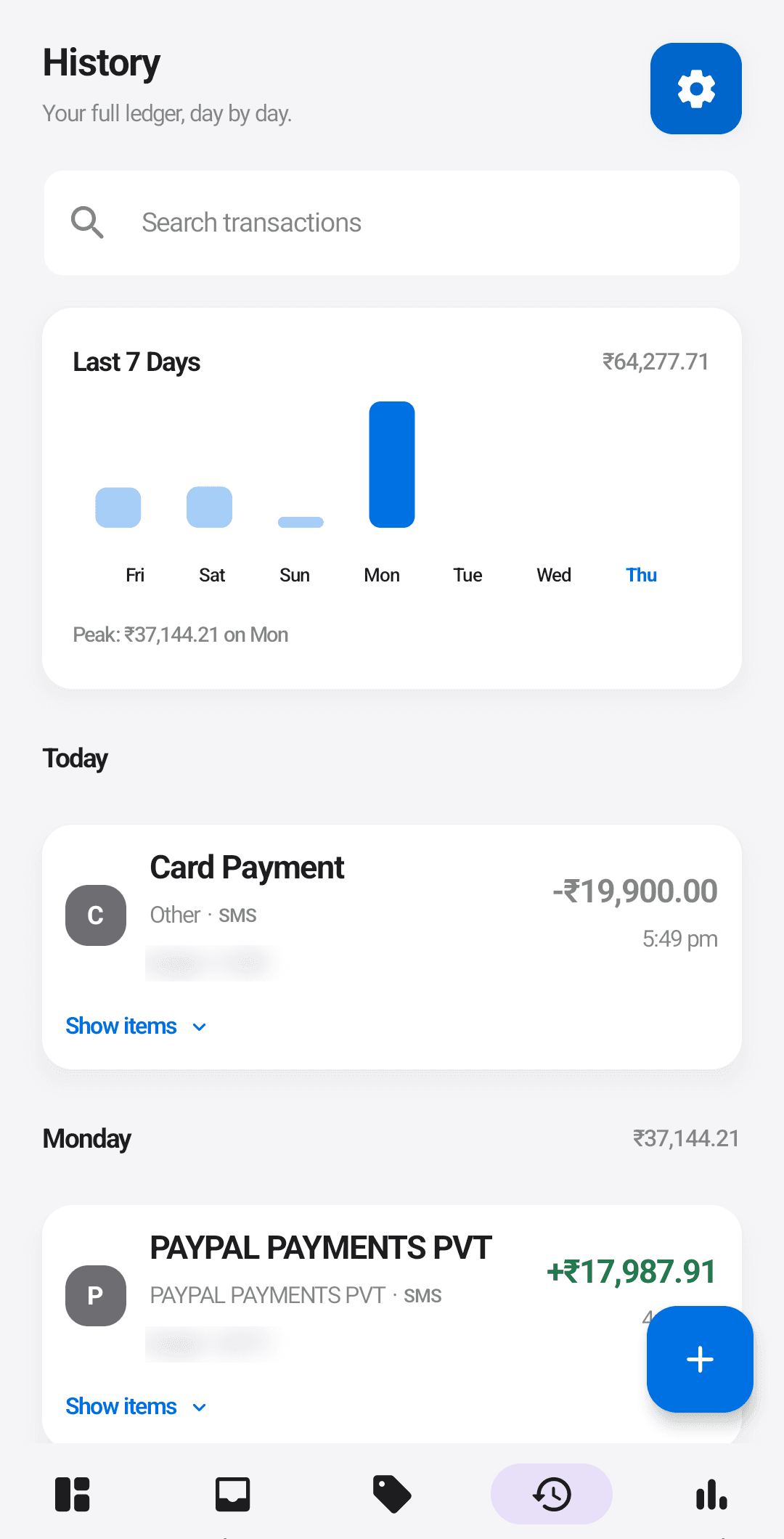
When a transaction SMS arrives from your bank, Ledgerly parses it on your device into a clean transaction. The amount, the merchant or description, the date, the sending bank, and the last four digits of the card or account if the message includes them.
Sender IDs are canonicalized so HDFCBK, JD-HDFCBK, and VK-HDFCBK all roll up to the same bank. The original SMS text is not stored anywhere. Promotional and personal SMS are ignored.
Import your SMS history
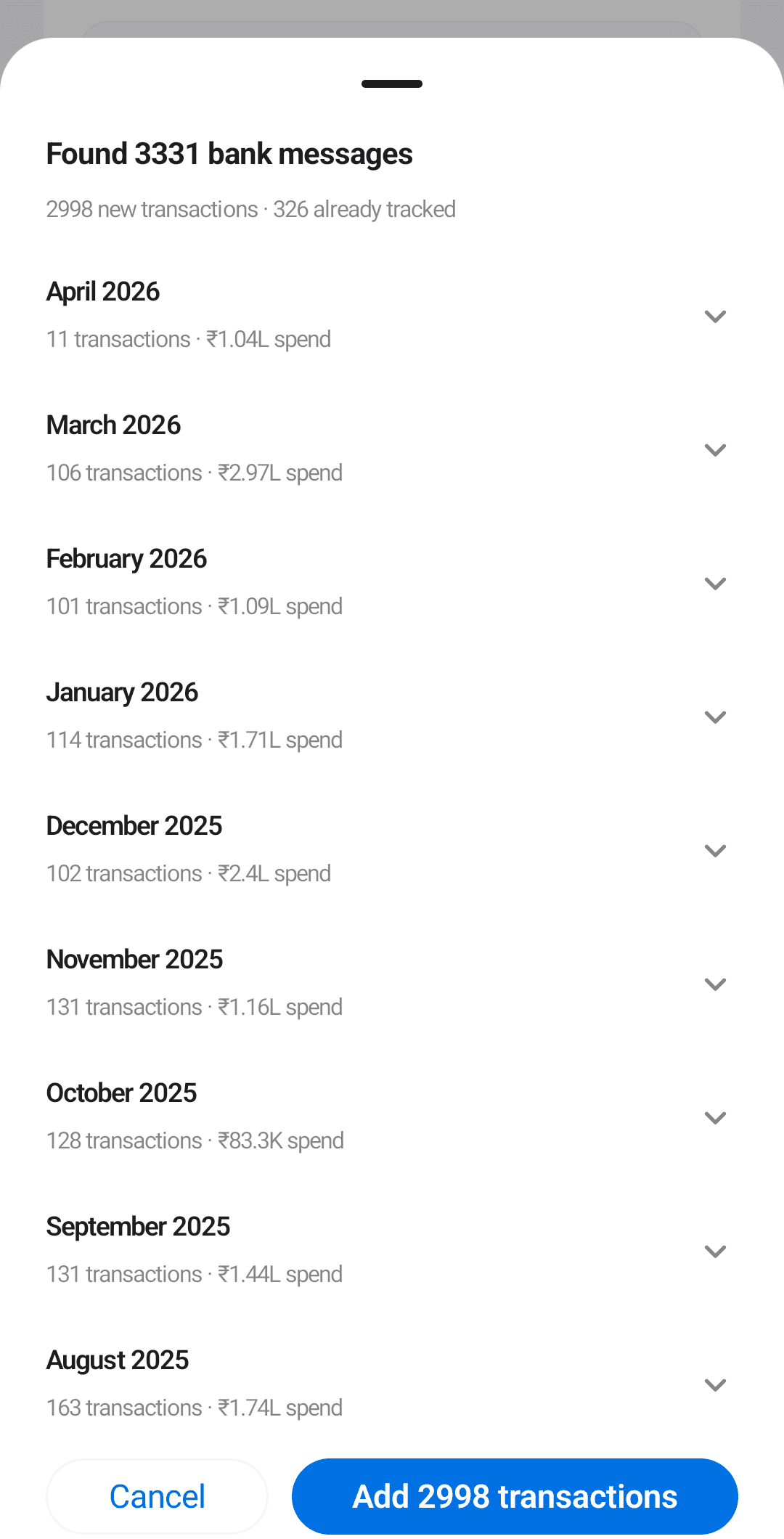
A tracker that starts empty takes weeks to feel useful. Ledgerly starts with your history instead: an optional one-time import scans the bank SMS already in your inbox and turns them into transactions, so months of real spending appear the day you install.
You pick the window (30, 60, or 90 days, or everything), and every transaction it finds lands in a preview first, grouped by month. Anything Ledgerly already tracks is skipped, possible duplicates are called out for you to decide, and nothing is saved until you confirm. Change your mind later and one tap removes the whole import; rows you have edited since are kept.
In-app order capture (accessibility overlay)
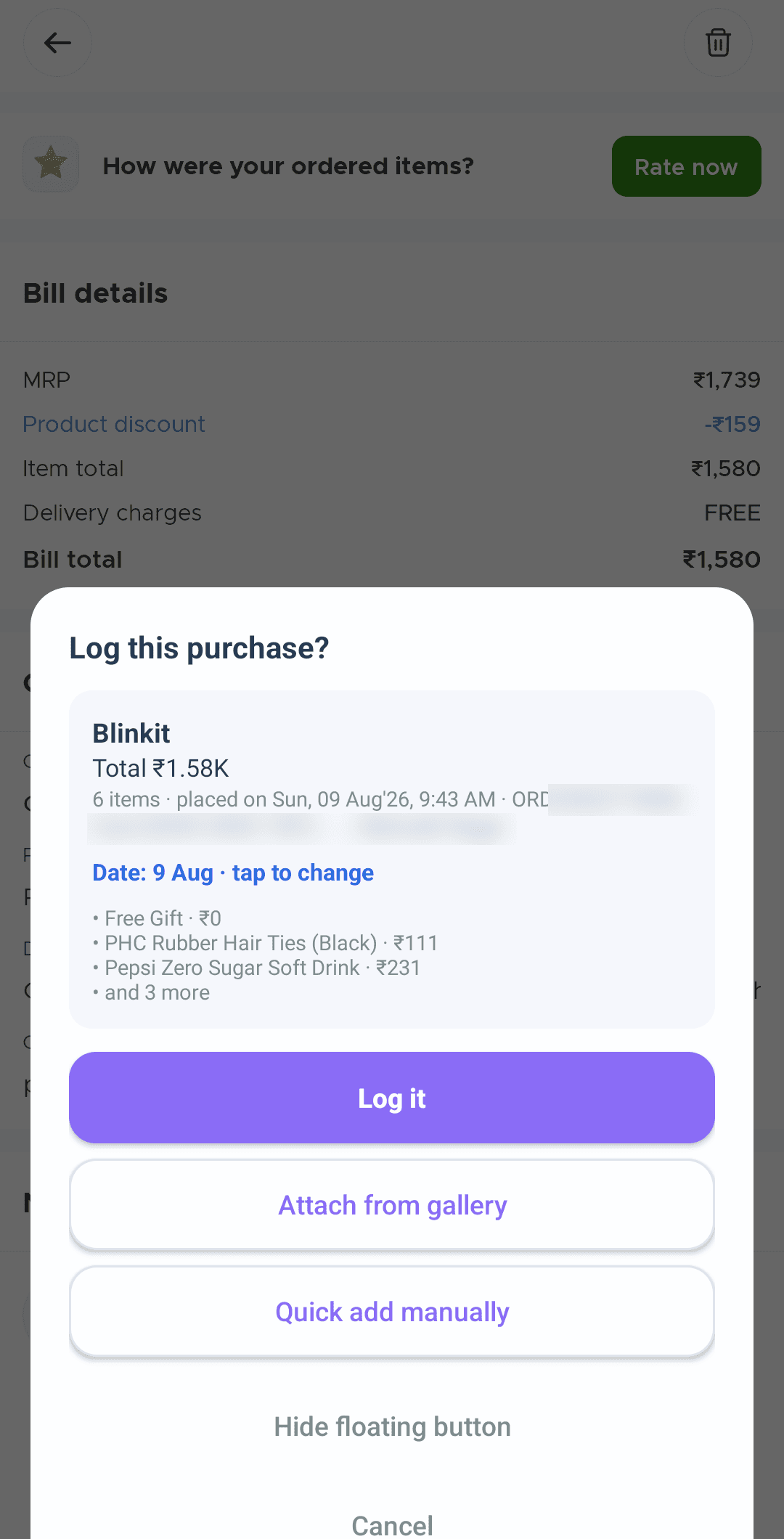
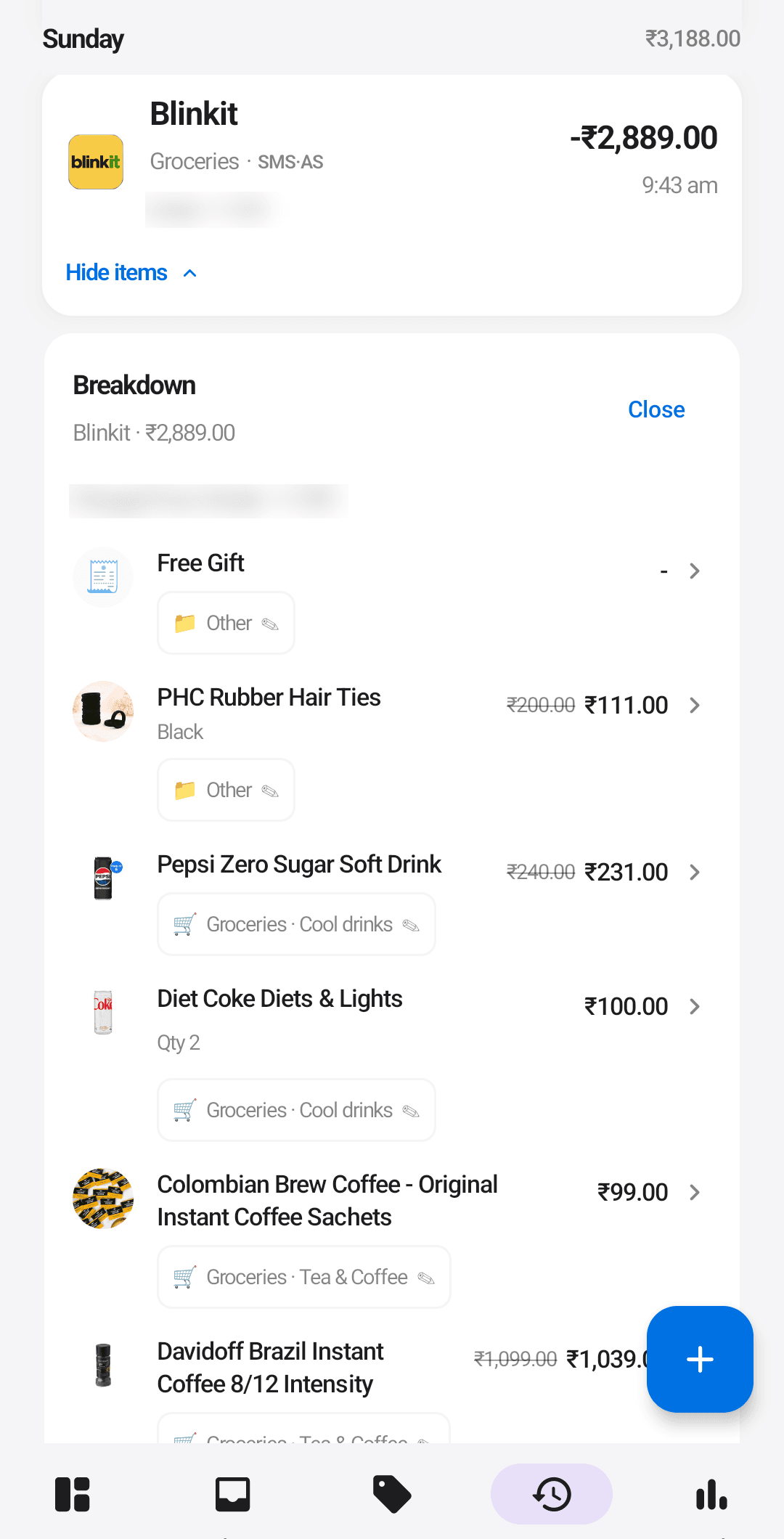
A bank SMS says "Blinkit 540," not what you bought. Ledgerly’s accessibility helper reads the order screen itself, so one swipe becomes a full list of items, packaging fees, and tip.
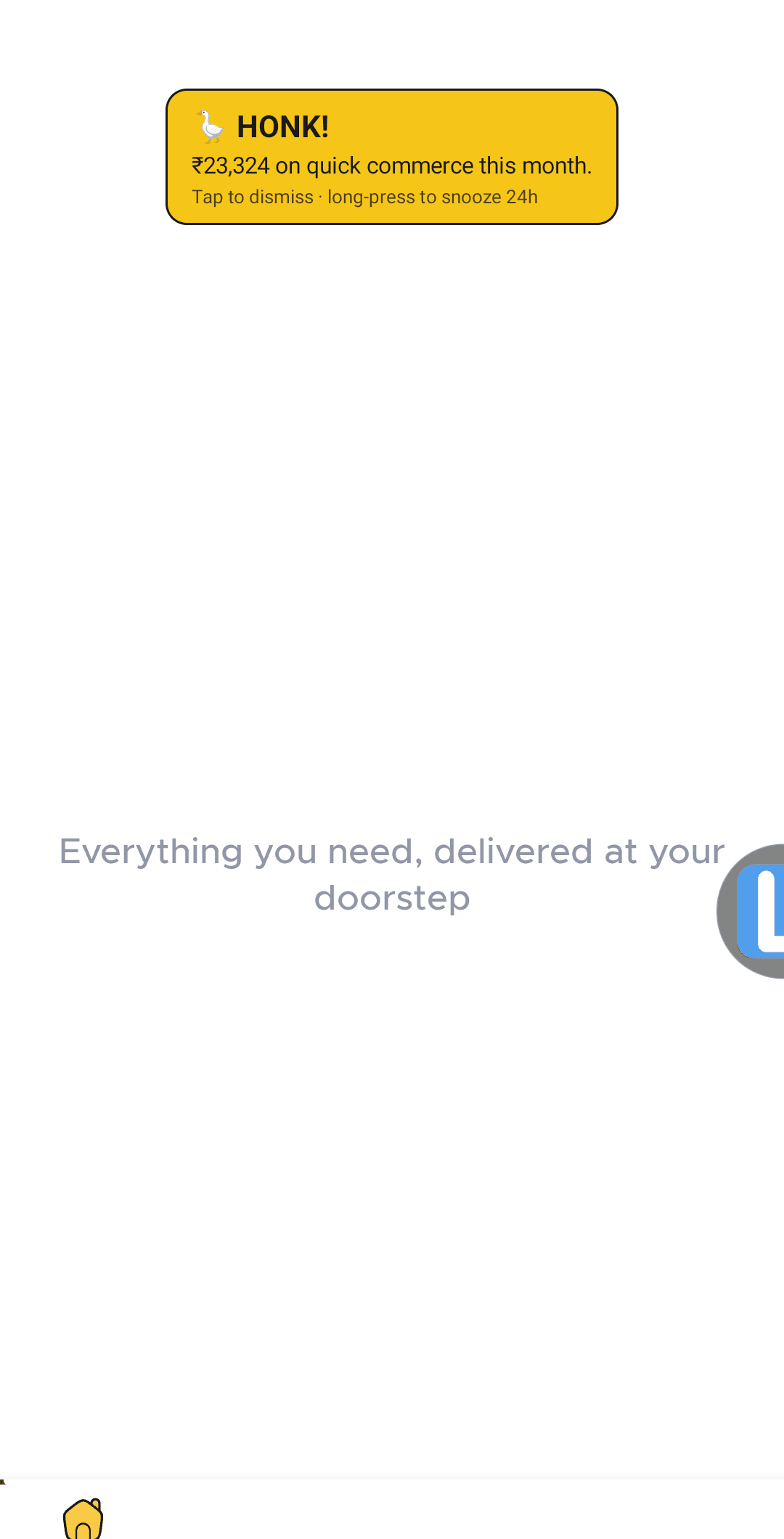
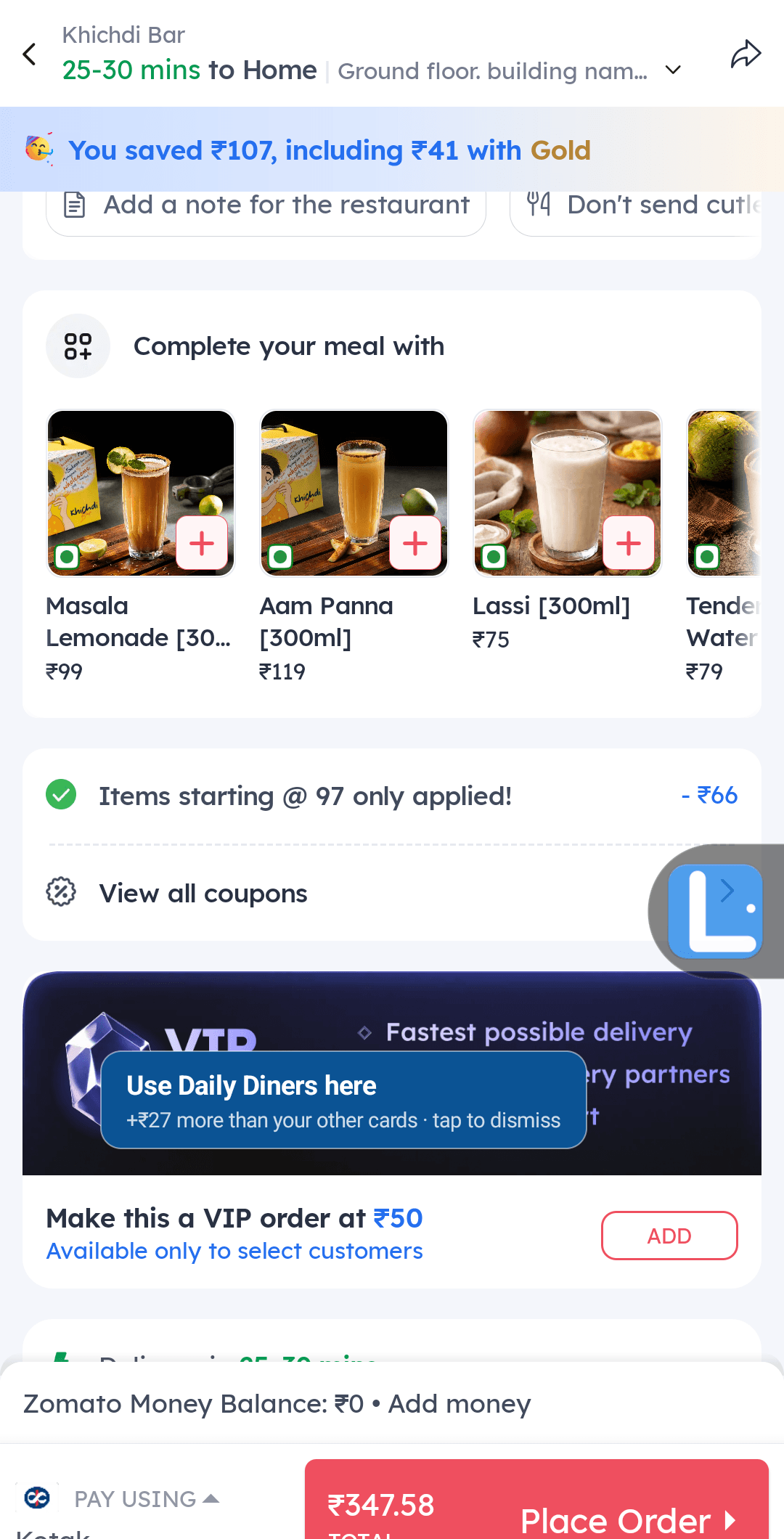
Three ways to trigger it: tap a floating Ledgerly button, tap a Quick Settings tile, or tap a notification action. Supported apps: Blinkit, Swiggy, Instamart, Zomato, Amazon Now, Uber Eats, Zepto, Amazon, and Amazon Fresh.
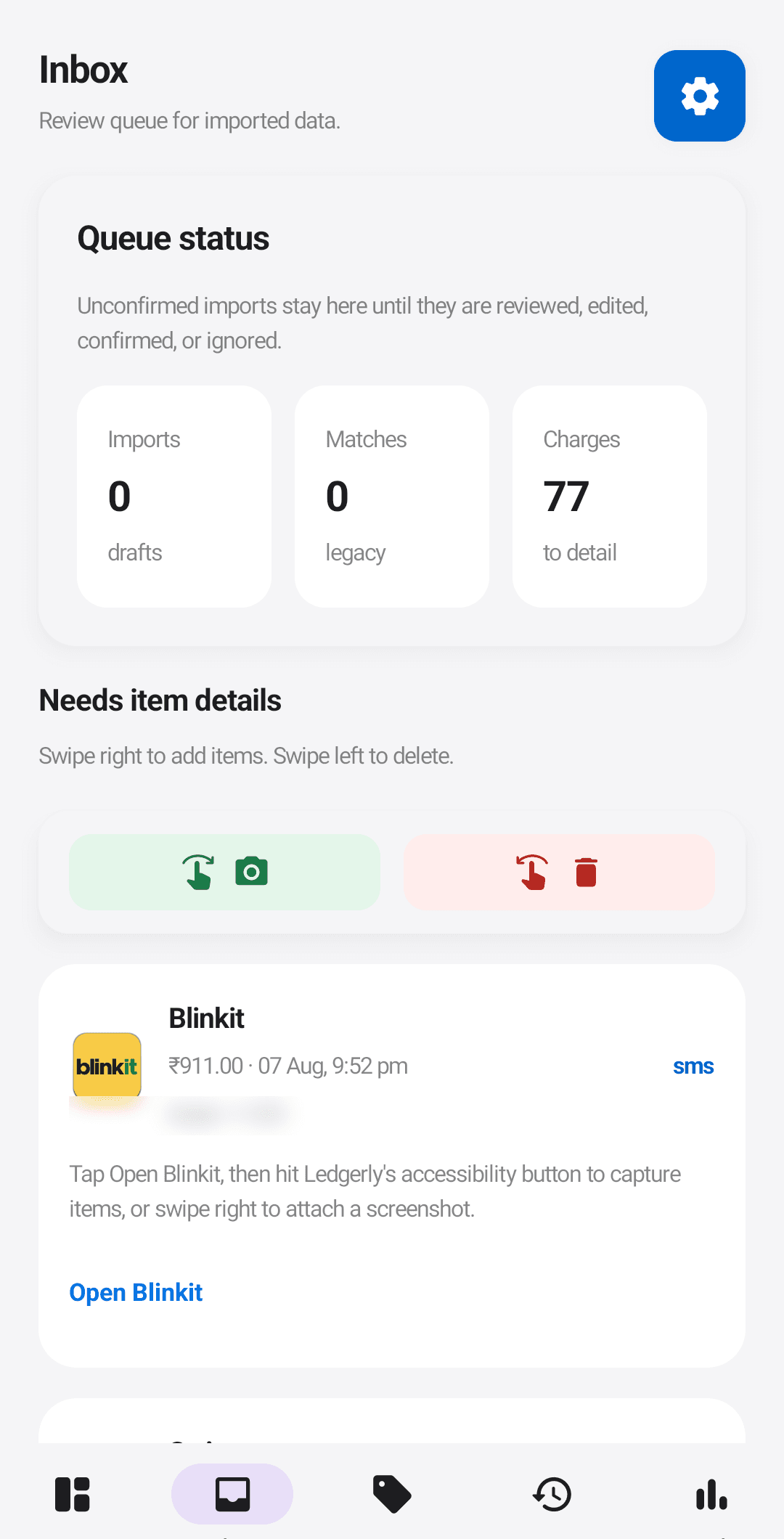
Depth varies by app. Blinkit, Swiggy, Instamart, Zomato, Amazon Now, and Uber Eats get full itemized order capture, down to individual products and quantities. For Zepto, Amazon, and Amazon Fresh, Ledgerly takes a screenshot of the order when you ask and turns it into an entry for you to review.
Uber Eats orders are captured in dollars and converted to rupees at a rate you can adjust.
Receipts and PDFs
Add a transaction by scanning a paper receipt, or import a PDF invoice from Amazon or Flipkart, or a payment-statement PDF from Paytm, GPay, or PhonePe. Imports land in a review queue first, so nothing posts to your ledger without a quick look.
By default, Ledgerly reads receipts and PDFs on your device using Google’s on-device ML Kit text recognition. Once cloud AI is on, you can also turn on receipt uploads in Settings > AI, which can be more accurate on messy scans. Photos then go to cloud AI, and so do PDFs of up to four pages and 5 MB; longer PDFs are still read on your device.
Notification capture
Ledgerly can read payment confirmation notifications from Google Pay, Paytm, PhonePe, and BHIM, so UPI payments that never generate an SMS still land in your ledger. It is optional, reads only payment notifications from those apps, and ignores every other app’s notifications.
Fees and tips, broken out
Delivery, packaging, convenience, tax, and tip charges are tracked separately rather than folded into the bill total. Insights surfaces a "you paid ₹X this month in convenience fees" headline, which most people have never seen broken out.
Refunds and cancellations
When a merchant refunds you, Ledgerly pairs the credit with the original purchase instead of counting it as income. A refund SMS triggers a suggestion linking it to the matching order, and the transaction shows its refunded state in your history, so a cancelled order nets out to zero rather than inflating both your spend and your income.
Know which card to swipe, before you swipe it.
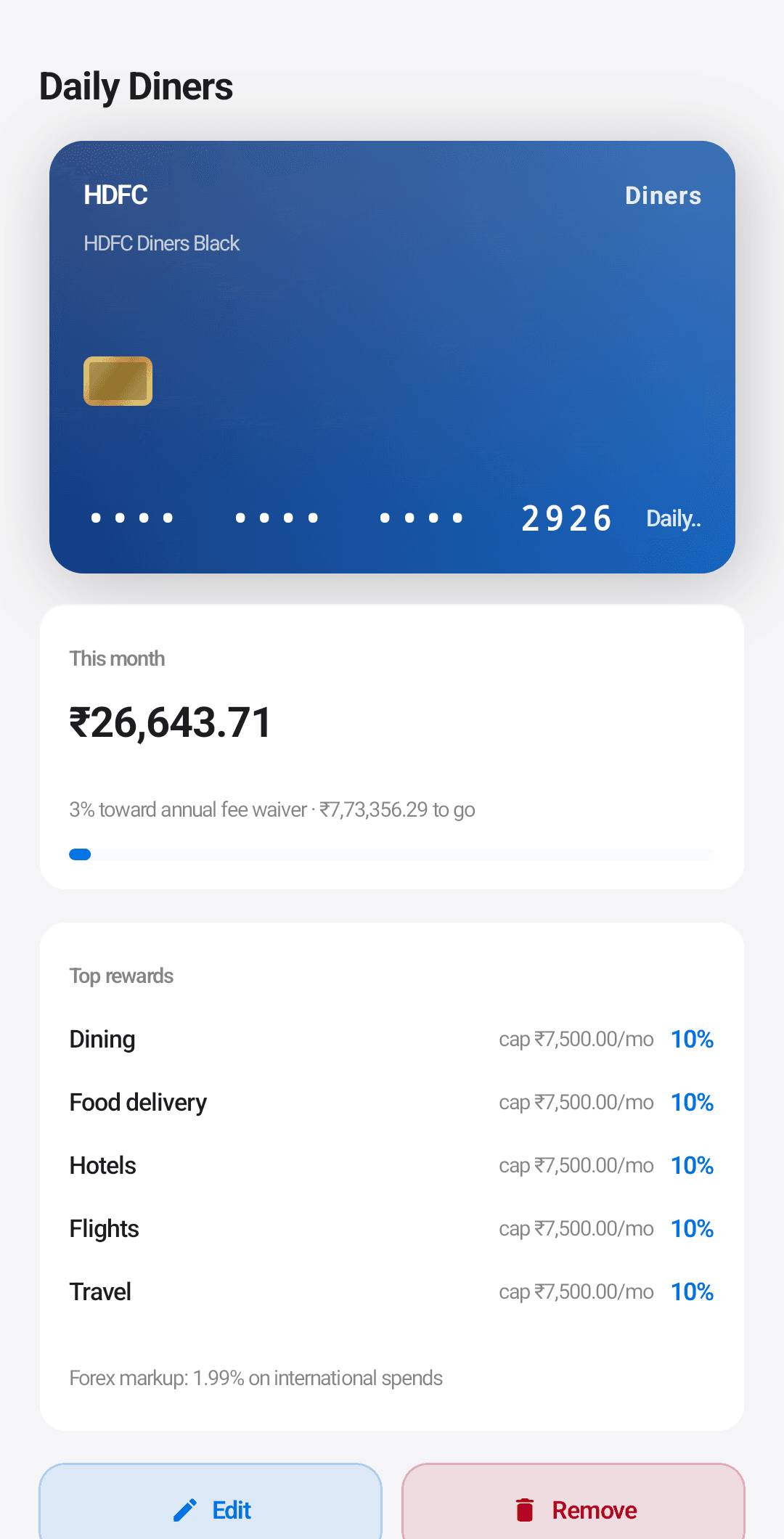
Ledgerly keeps a detailed rewards profile for every card you carry: per-category rates, monthly caps, exclusions, FX markup, annual fees. A cap-aware calculator ranks every card for every purchase, in real spending you have already made.
The card wallet
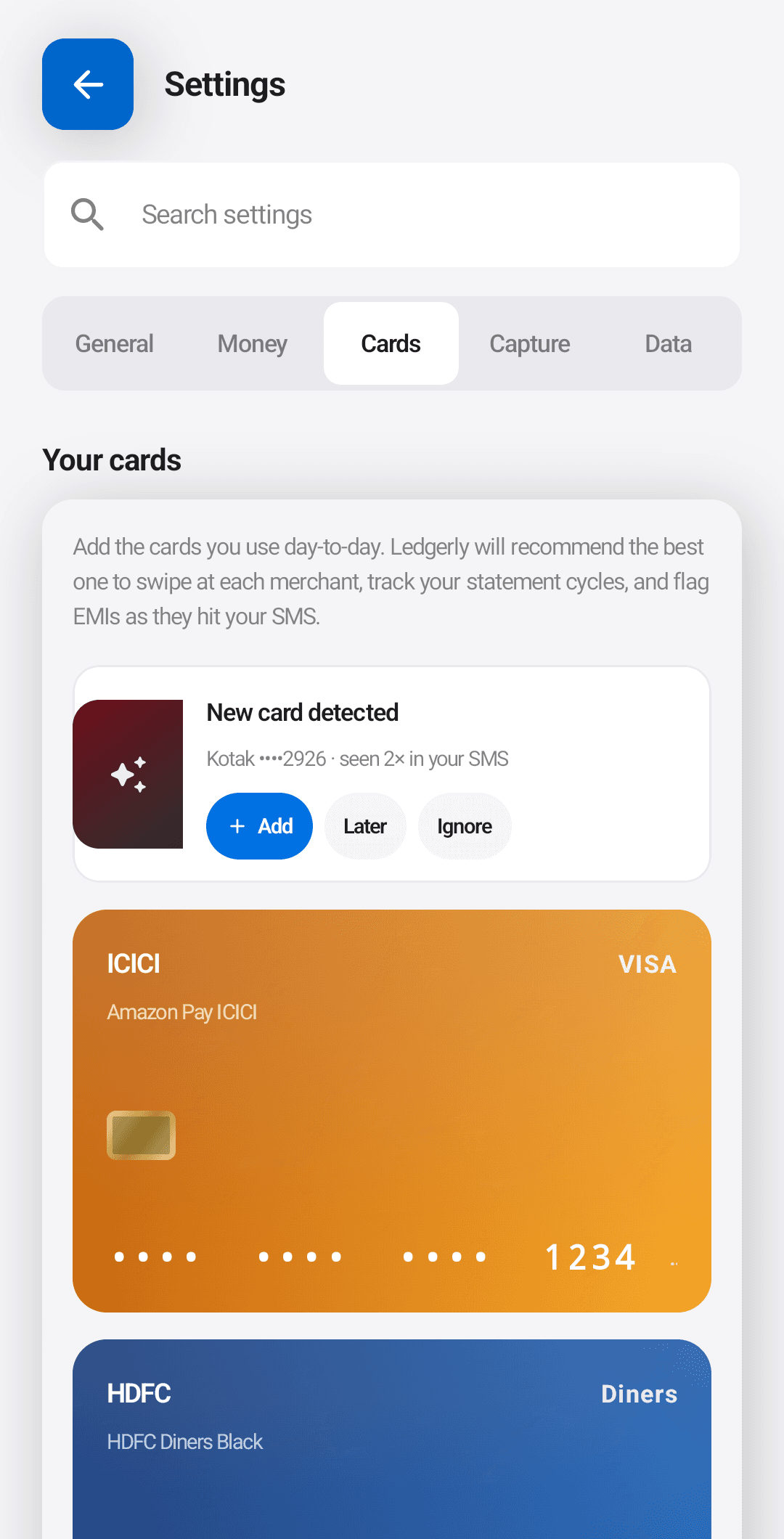
Add the cards you use, by hand from a curated 67-card India catalog (HDFC, ICICI, SBI, Axis, IndusInd, Standard Chartered, and more), or let Ledgerly detect them automatically from your bank SMS. The catalog is bundled, not pulled at runtime.
The optimizer engine
For every transaction and merchant category, Ledgerly computes which card in your wallet would have earned the most, given each card’s reward rates, monthly caps, exclusions, and FX markup.
A worked example: you spent ₹2,400 at Zomato on Card A. Card B would have earned ₹72 more on that swipe. Across a year of similar spend, Ledgerly will tell you exactly what that gap adds up to.
Cashback left on the table
A running figure on the home screen shows the cashback you missed this month. Each transaction carries a small note: "Card X would have earned ₹Y more here."
Card Simulator
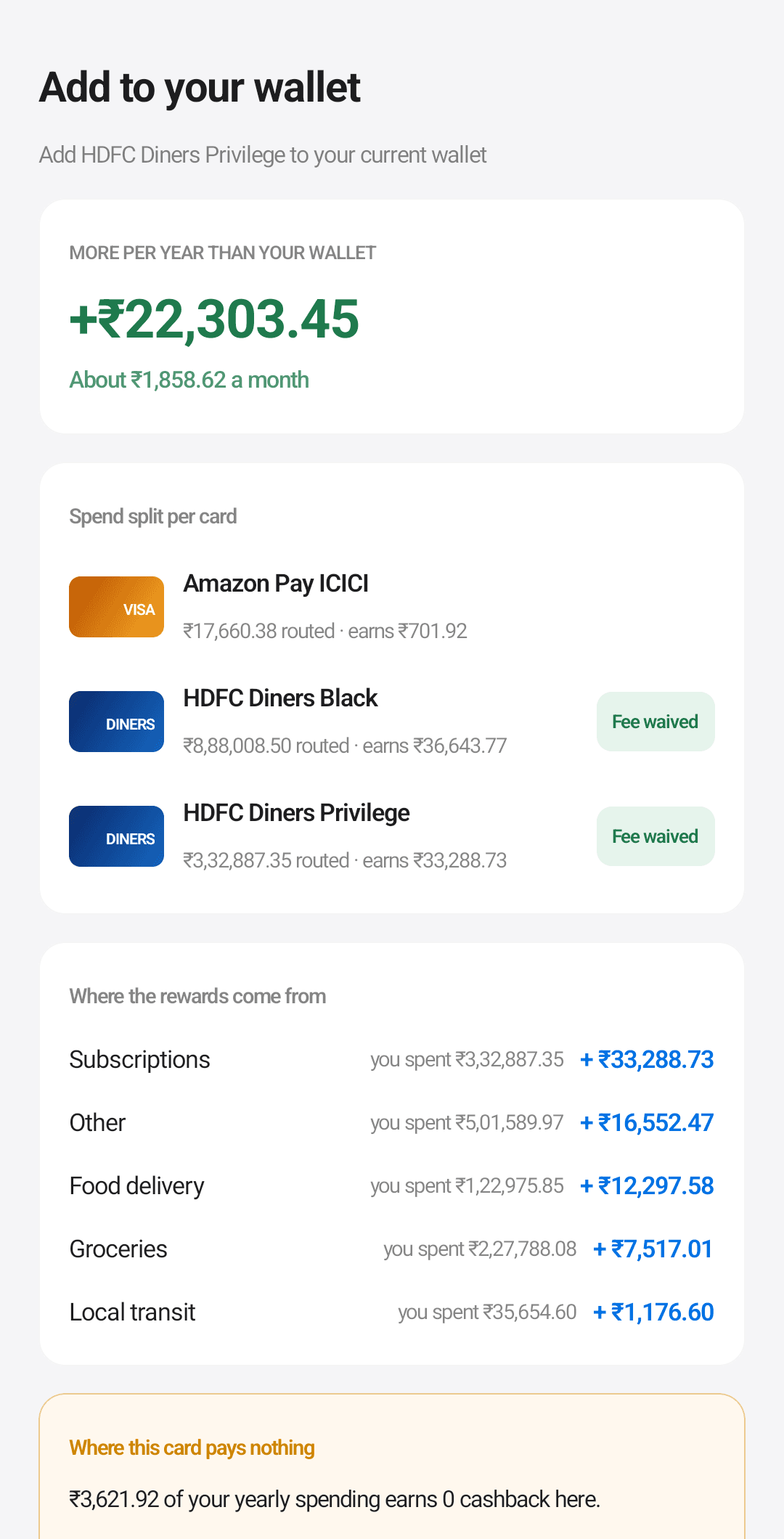
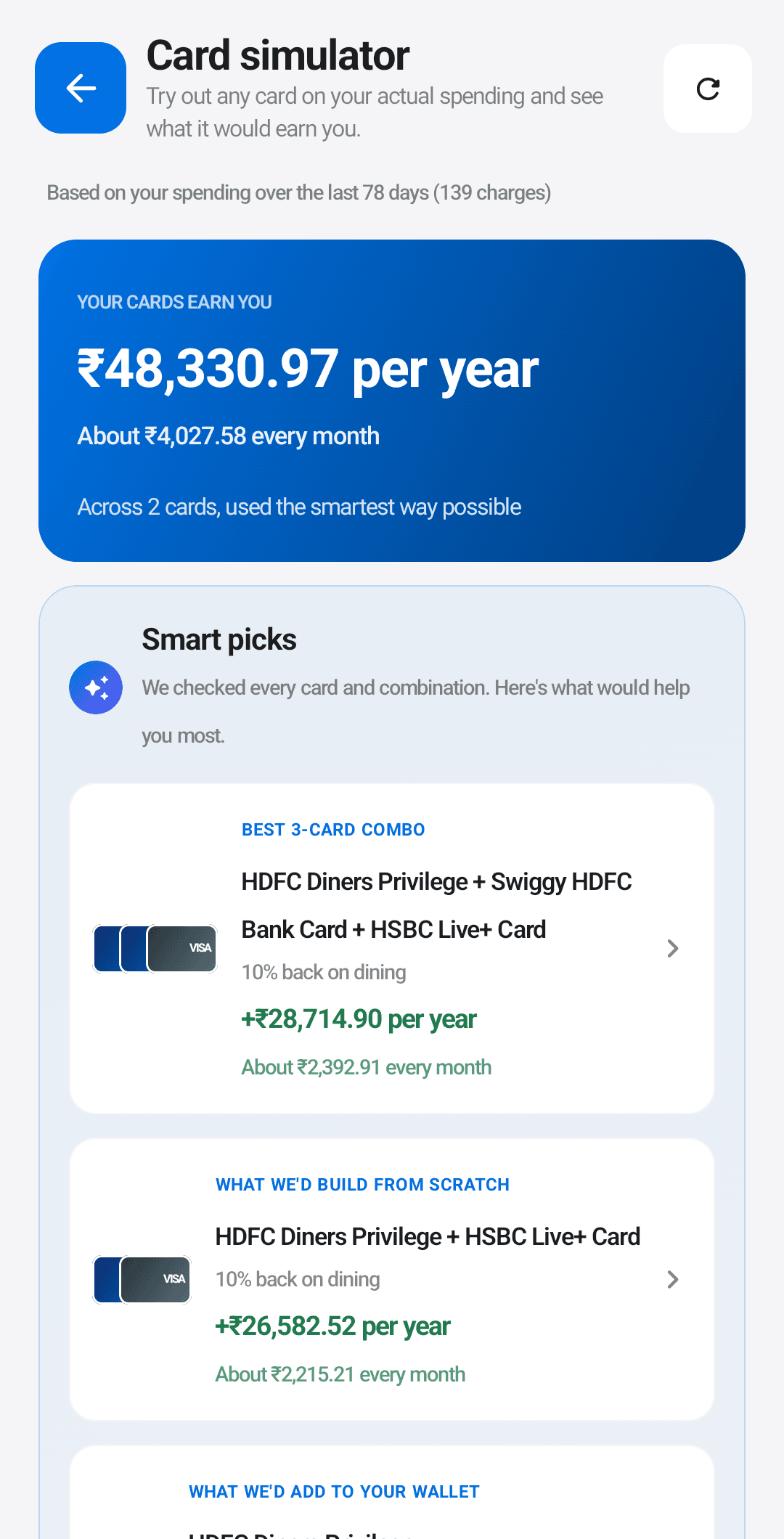
Run any card, or any combination of cards, against your real spending history. Smart Picks auto-recommends the best wallet shape to build. Time Machine lets you swap a single past transaction onto a different card and see the per-month delta.
Welcome Bonus Radar
For each card with a sign-up offer, Ledgerly projects when you’ll clear the welcome-bonus spend threshold given your actual spending pattern. Verdict bands: ahead of schedule, on track, slipping, off the table.
Card Karma
A rolling thirty-day score of how often you reached for the optimal card. Sparkline plus week-over-week delta. Frame it as a streak worth protecting.
Card routing leak detector
Recurring autopay charges quietly routed to a worse card are real money: a Netflix subscription on a no-reward card costs you every month. The leak detector flags only the recurring ones, so the list stays short and the savings are real.
Pre-swipe nudge
On a known checkout screen (Zomato, Blinkit, Amazon, and the rest), an optional floating bubble pops up before you pay and names the best card for that order. Tap to dismiss, or use the suggestion.
Bulk card tagging and EMI tracker
Multi-select past transactions and tag them all to a card in one pass. EMI bookings from SMS are detected, the schedule is modeled, and Ledgerly flags when a pre-payment would save real interest.
The cashback you never see, finally counted.
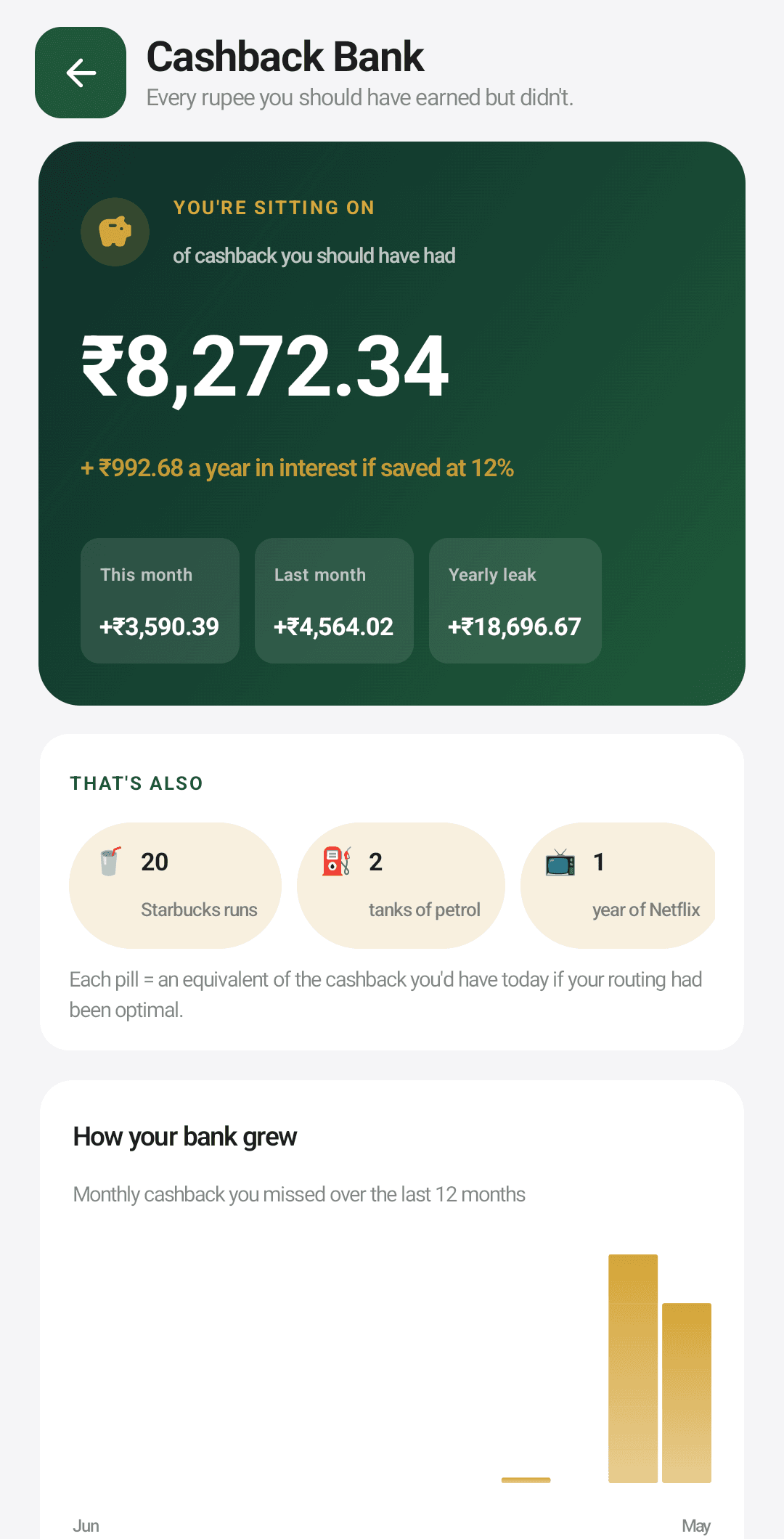
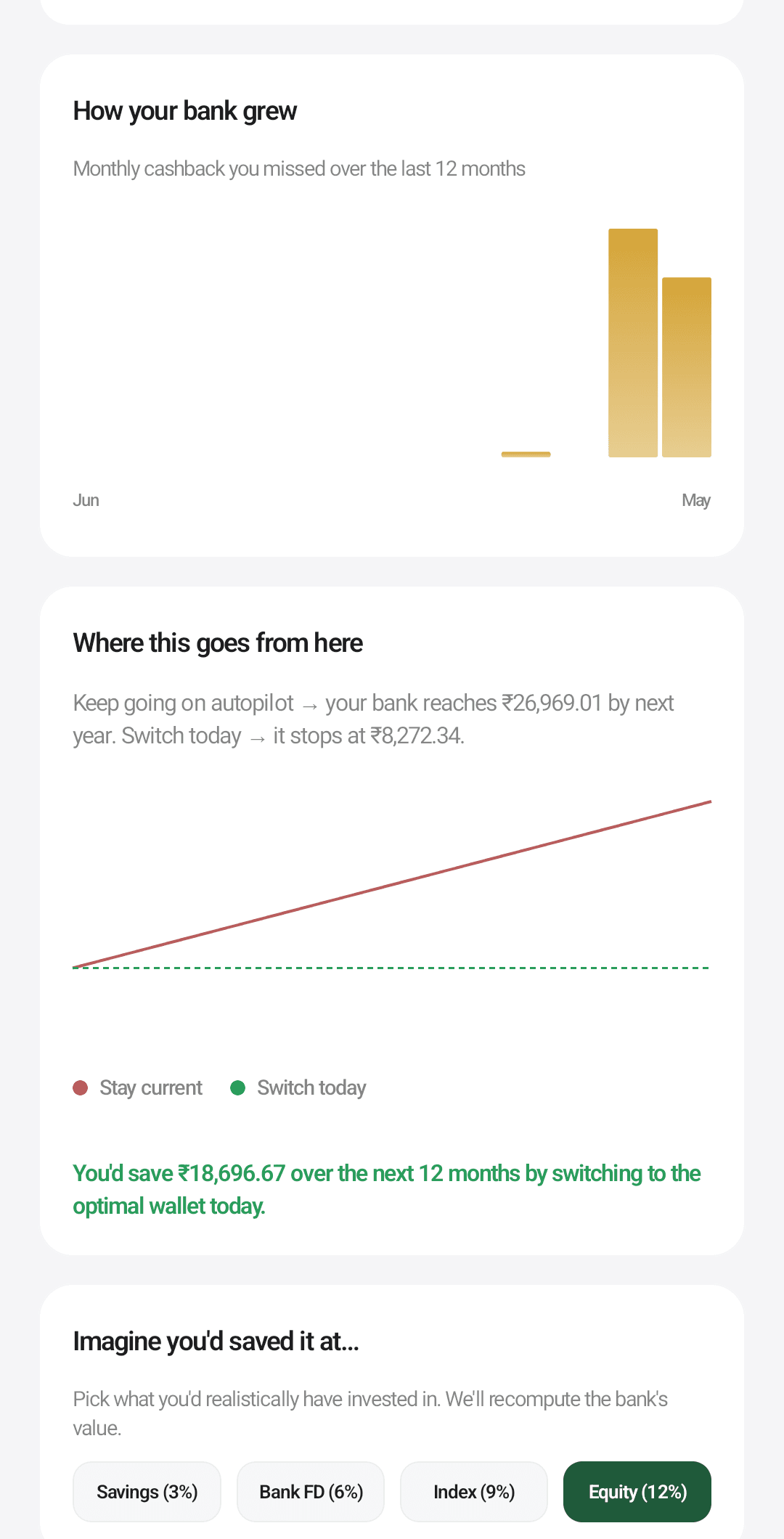
Rewards you missed are invisible. There is no number, no running total, no sense of the leak. The Cashback Bank is a virtual passbook that accrues the gap between what you earned and what you could have earned with the best owned card.
Lifestyle translator
Missed cashback in rupees is abstract. The translator turns it into things you recognize: a number of coffee runs, tanks of fuel, a year of a streaming subscription. The same number, in a unit your brain understands.
Checkout offer advisor
Reads offer text on supported checkout pages and points you to the better-paying route, which often is not the obvious one. Pairs with the pre-swipe nudge and, like it, is in the direct-download edition only.
It sees the month before it happens.
Most overspending is only visible at the end of the month, when it is far too late to change anything. Ledgerly forecasts the month day by day, projects your month-end balance, and flags the days a shortfall is heading toward you.
Cash-flow forecast
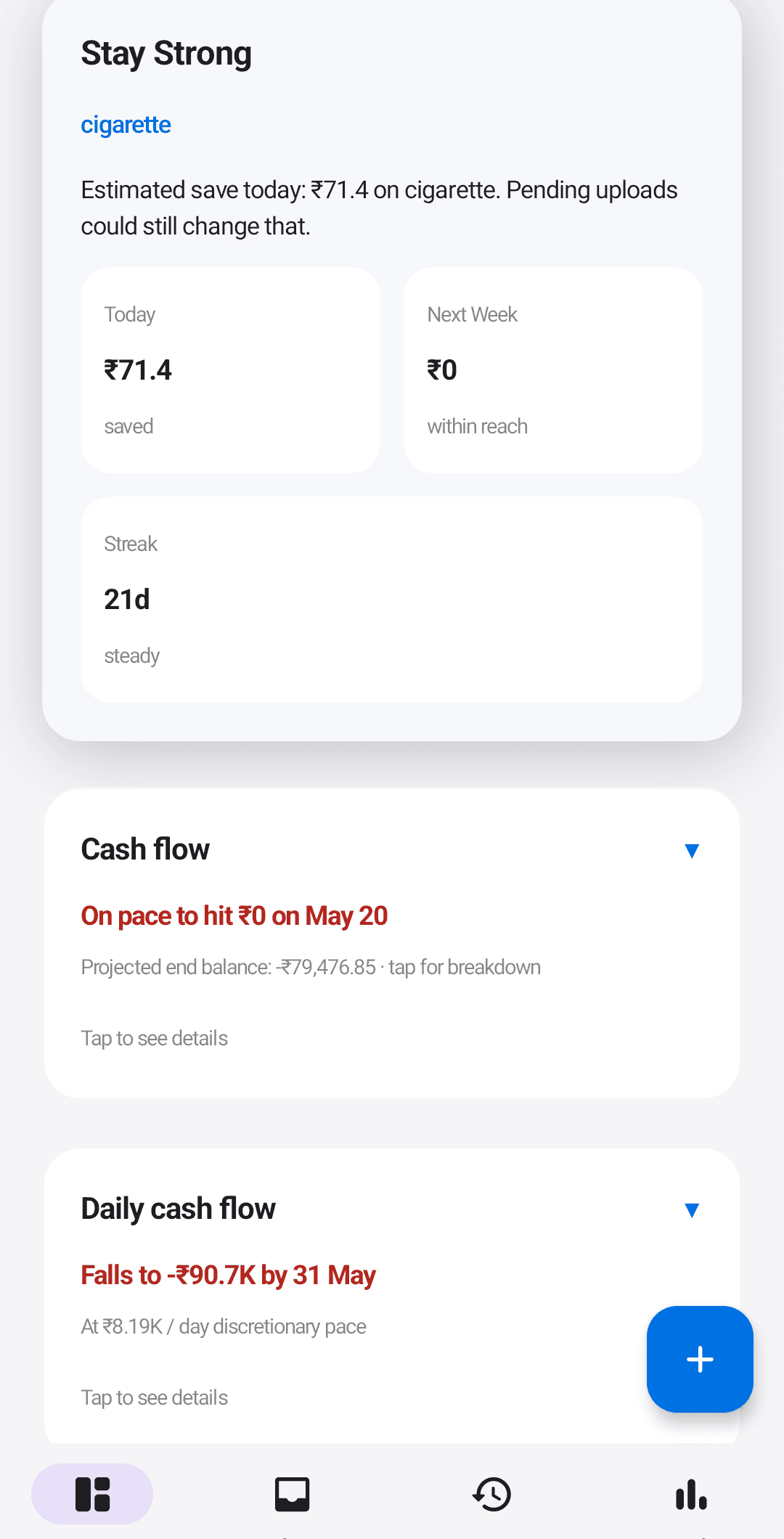
Month-end balance projection with a confidence fan around it. A day-by-day view shows where you are heading, and a Daily cash flow strip flags shortfalls before they arrive.
Today card
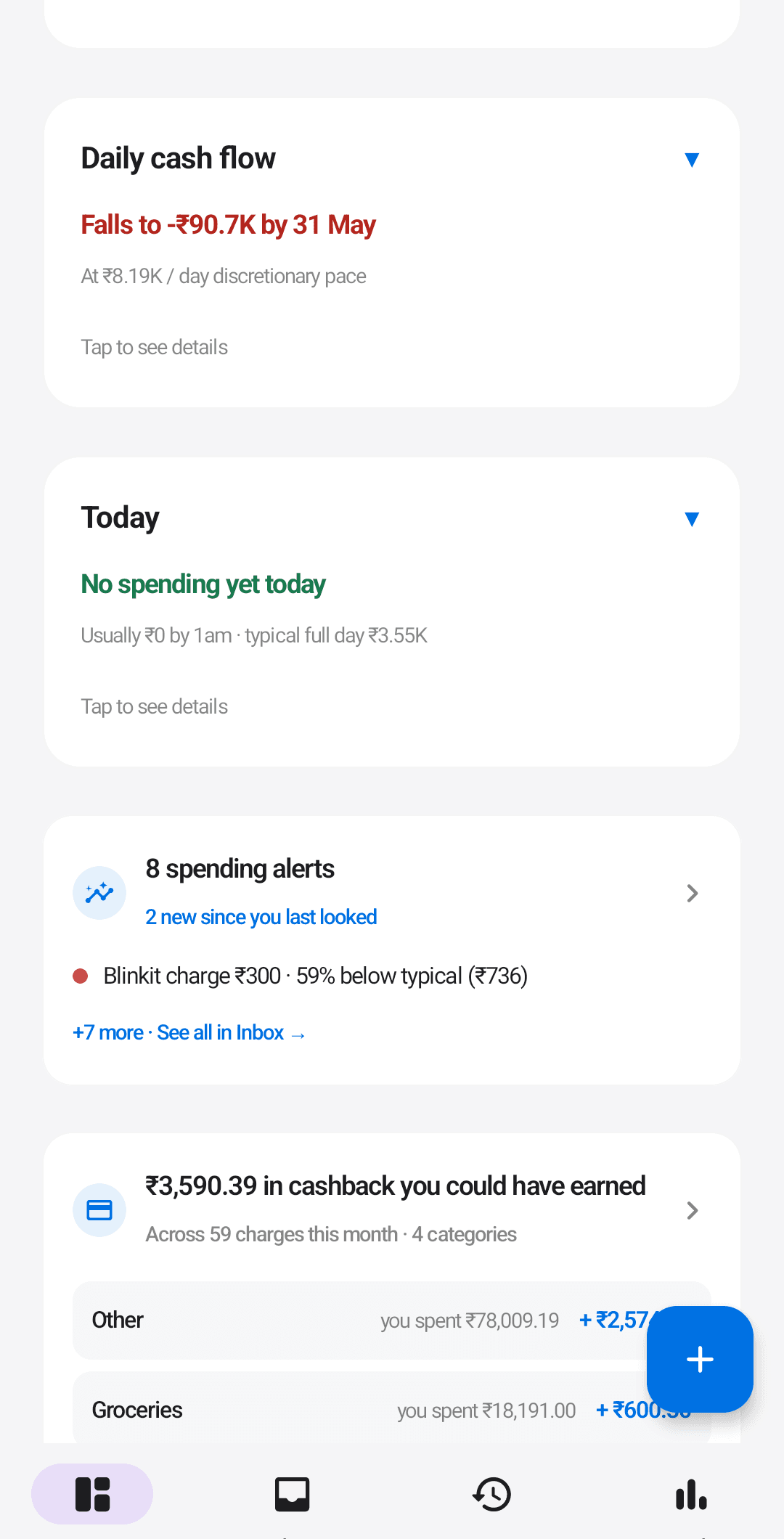
Compares today against your typical hourly spending pattern. A "day twin" shows your most-similar past day. A surprise-transaction callout fires when something doesn’t fit the pattern, and a pattern-broken nudge appears when today diverges from the trend.
Spending alerts
Rule-based detectors flag category overruns, unusually large bills, new merchants, and late-night spending bursts. Refreshed daily. The types you’ll see: budget bleed, mystery merchant, midnight binge, recurring-charge spike, and card routing leak.
Plans that update themselves.
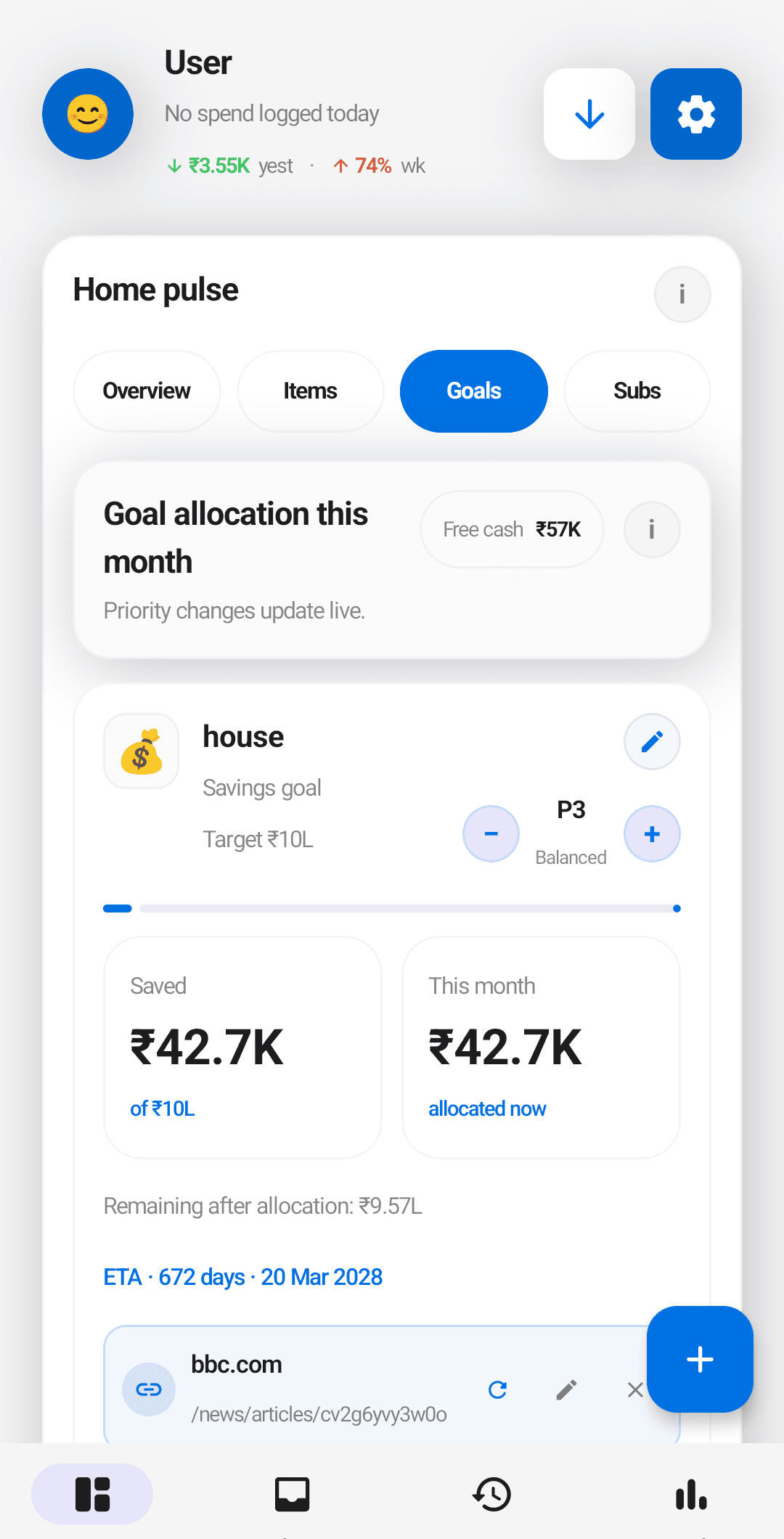
Savings goals sit on a live allocation engine that works out how much free cash each goal should receive this month, recomputed as your income and spending change.
Savings goals
Create a goal (vacation, emergency fund, gadget) with a target and a priority. The allocation engine looks at your effective monthly income, taken as the larger of your configured income and your actual SMS-detected inflows, so a bonus month lifts every goal without you doing anything.
Goal Pressure
Every goal shows a realistic completion date based on current pace. Large purchases show how many days they pushed a goal back: "= 3 days off your Goa trip." Useful as an anti-impulse-spend nudge in the moment.
Budgets
Per-category monthly budgets with pace tracking and over-budget warnings. Standard, but it works with the SMS-captured ledger so it stays current without manual entry.
Subscriptions, renewals, and the money between friends.
The two things that quietly drain accounts: a renewal you forgot you signed up for, and a casual loan to a friend that never came back.
Subscription tracking
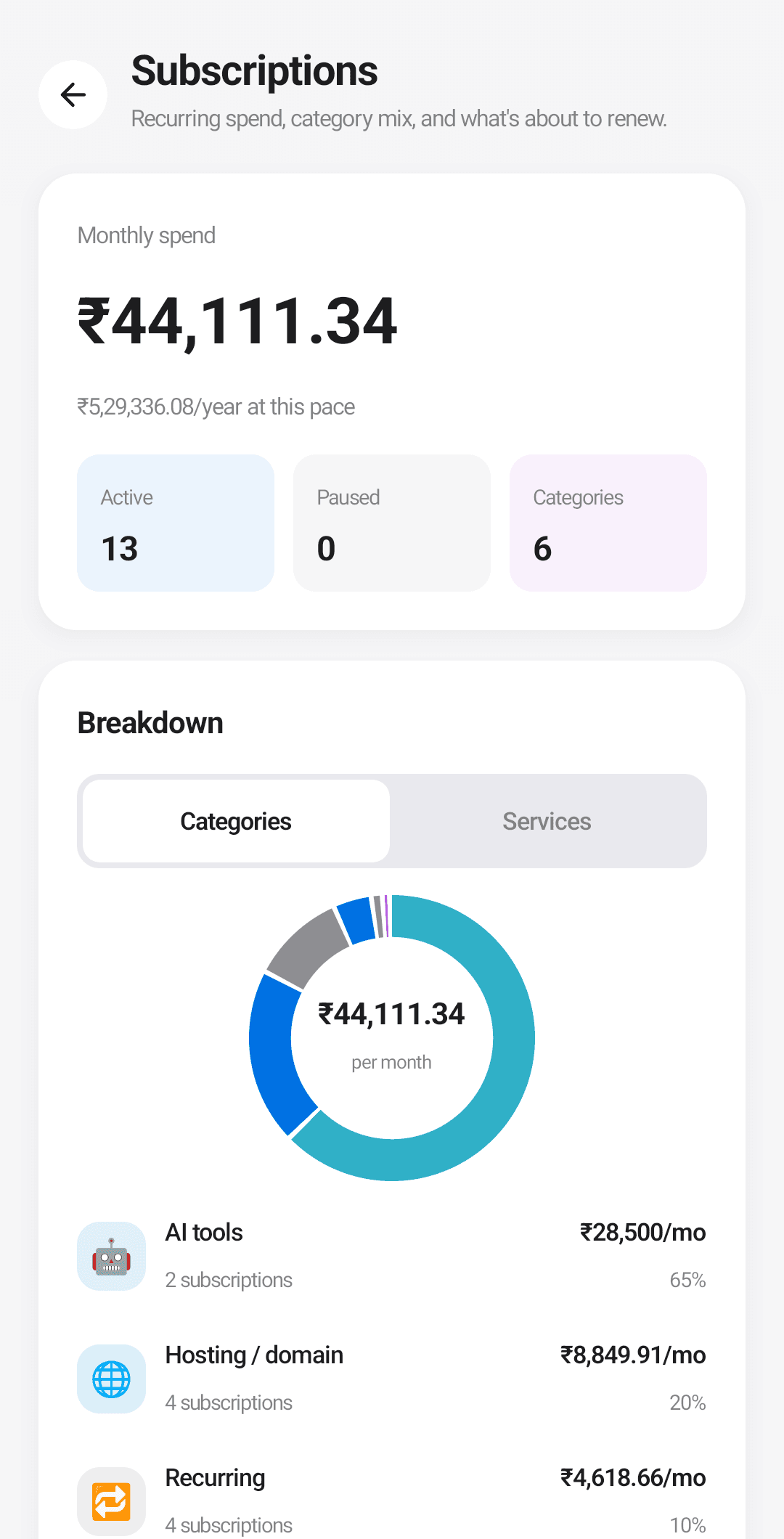
Recurring bills are detected automatically: Netflix, Spotify, gym, insurance, utilities, the lot. A cadence-aware countdown chip on the dashboard shows what is about to charge next, and every upcoming charge is tappable: mark it paid, pause, cancel, or edit the subscription from one sheet, and the change shows up everywhere at once.
Renewal review prompt
When an active subscription crosses its expected charge by three or more days without an SMS, the dashboard surfaces a "Confirm renewals" card with three actions: Yes, charged (Ledgerly links the real charge it already captured, and only records a new one if nothing matches); Cancel (soft-cancel the sub); Snooze 24 hours.
Loan Ledger
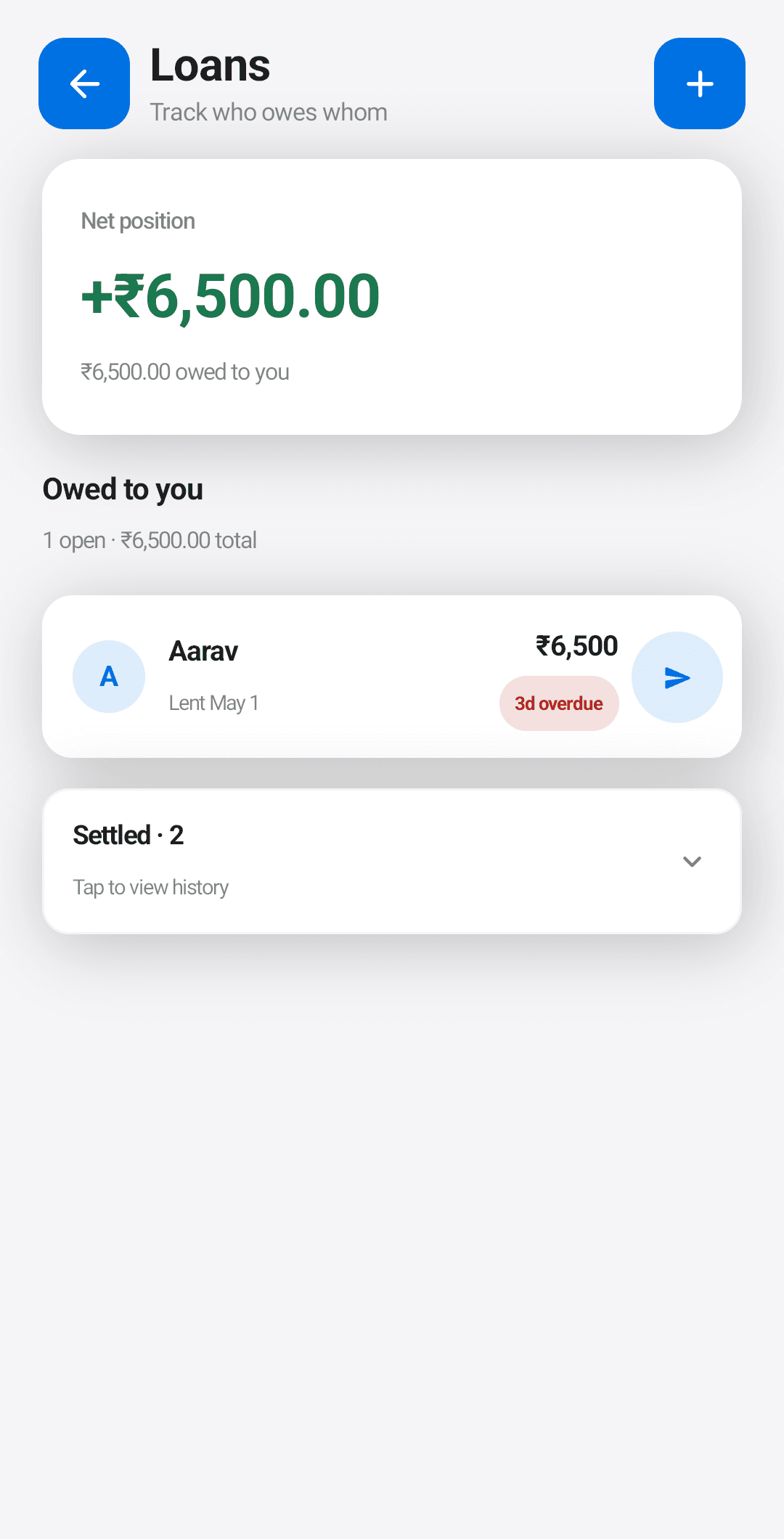
Tracks money lent to and borrowed from friends with a net position. A "friendly nudge" surfaces informal loans that have gone overdue, so you can ask without it feeling like an ambush.
Family money, kept separate
Transfers to family are not spending, and Ledgerly knows it. Tag a transfer as parked money and it stays out of your spend totals while a netting ledger tracks what went out and came back per person. When money returns, Ledgerly suggests matching it against what you sent, and relationship groups keep the running position per family member.
The patterns you would not otherwise see.
Insights, Price Memory, Merchant comparison, Week’s basket, Convenience tax. Each one looks at the same ledger from a different angle.
Insights hub
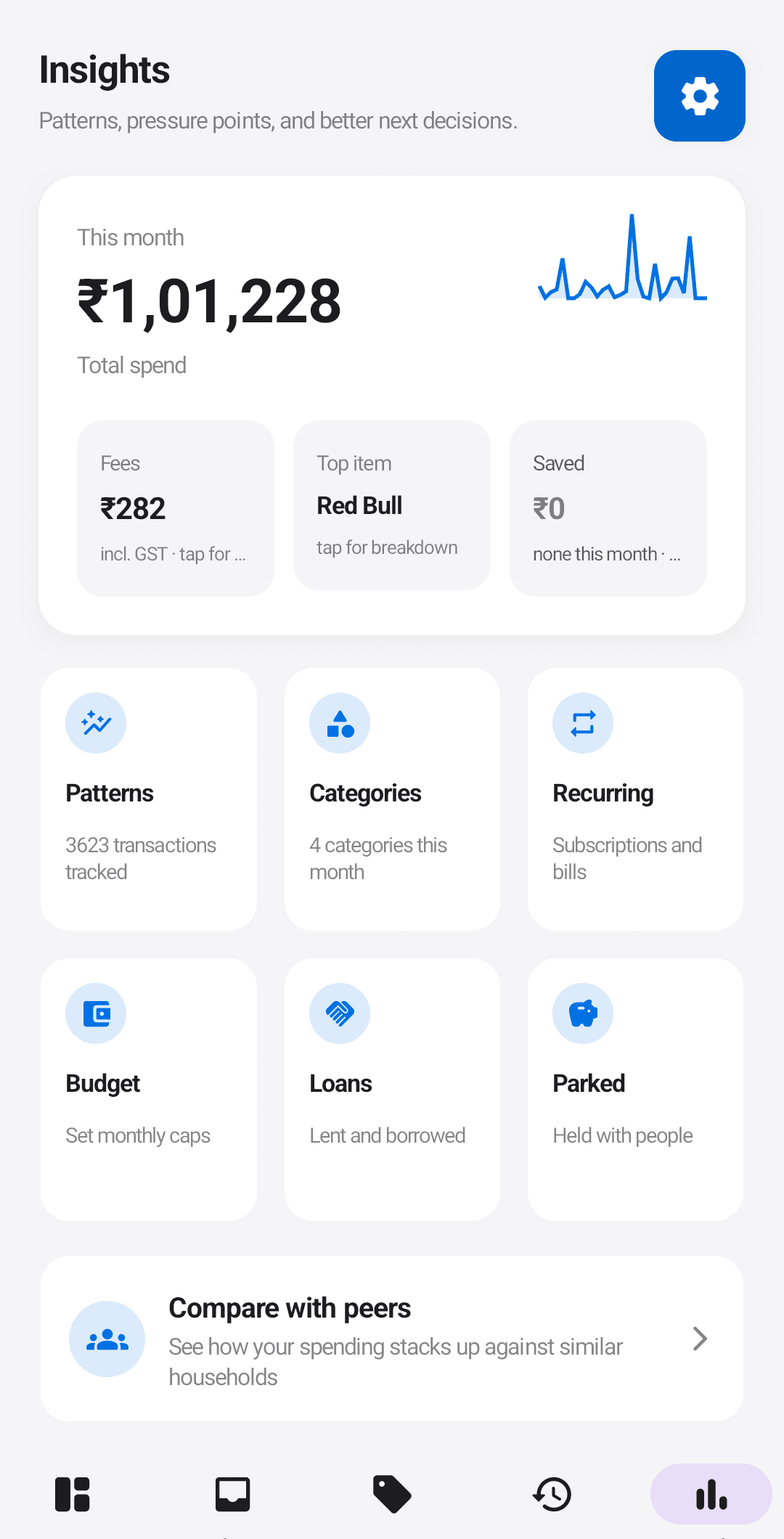
Monthly spend headline, trend sparkline, category breakdown, the total you paid in fees this month, top items, and a plain-English summary of how the month is going.
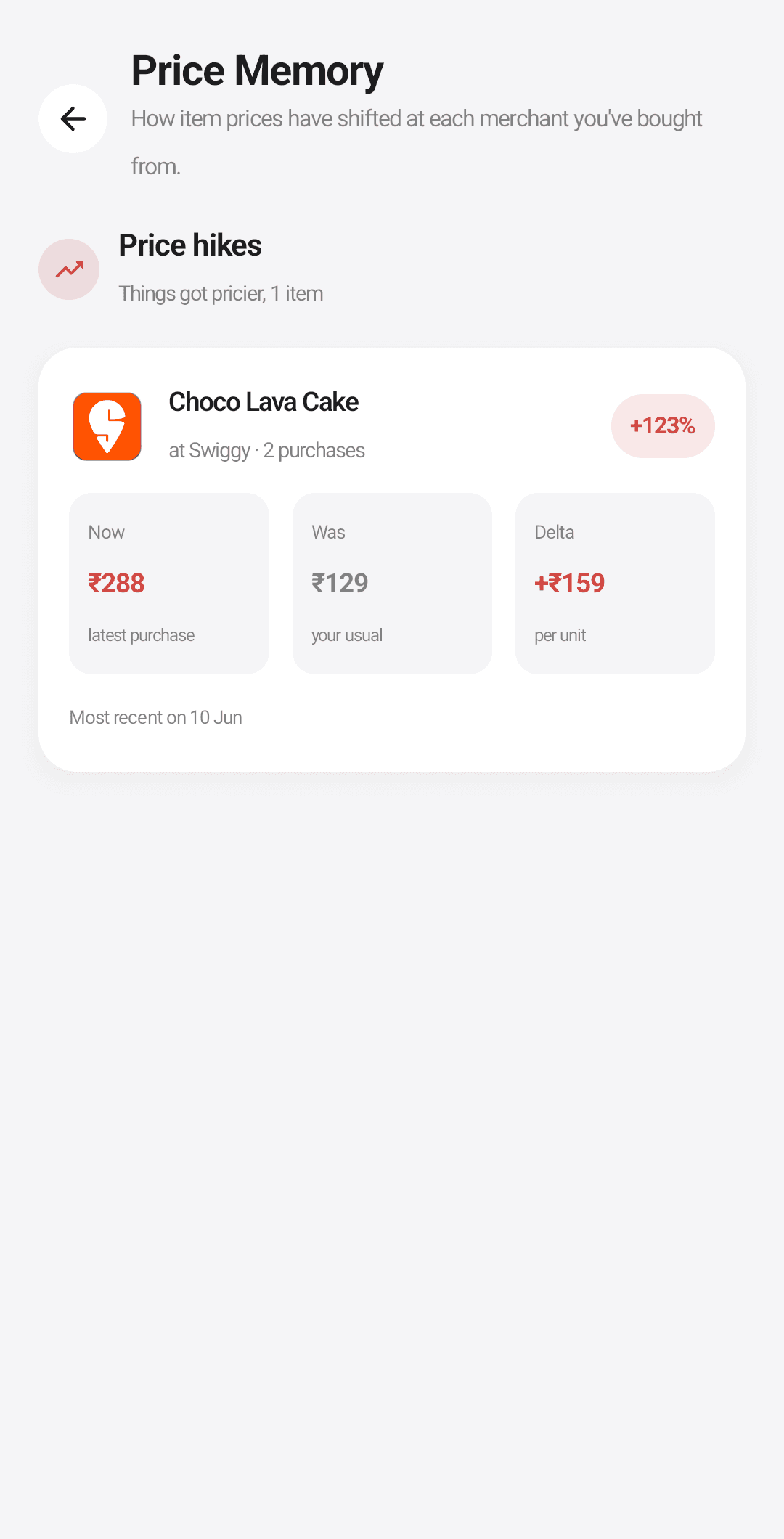
Price Memory
Tracks the unit price of items you buy often. "You usually pay ₹47 for a litre of Amul Taaza. This Blinkit order charged ₹54." The kind of price drift you would never catch on your own.
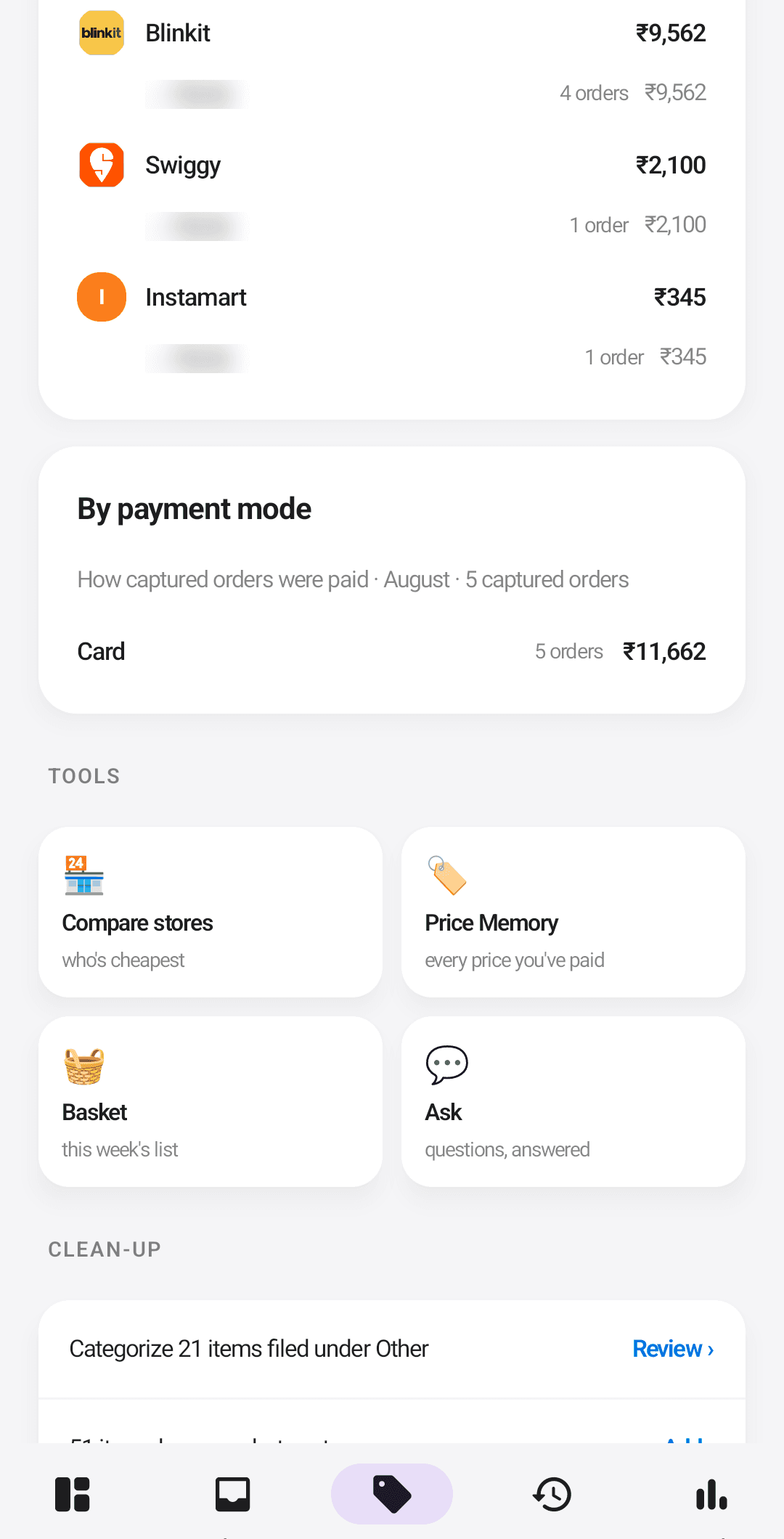
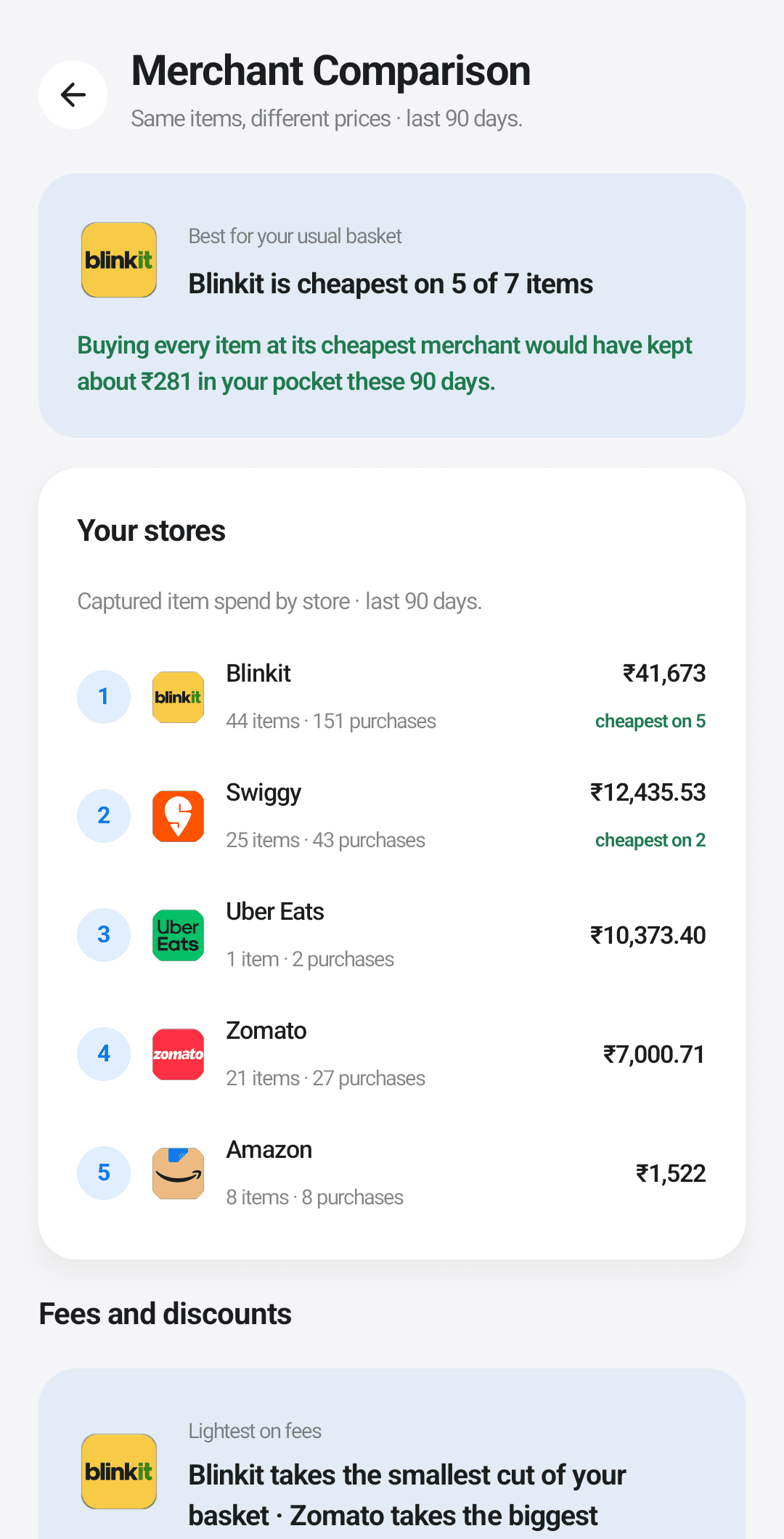
Merchant comparison
For an item you buy regularly, surfaces the cheapest merchant you’ve used across the last few months.
Each merchant also gets a report card: what it charges you in delivery and handling fees, what it gives back in discounts, and the net overhead per order, so you can see that one grocery app quietly costs you more per order than its rival.
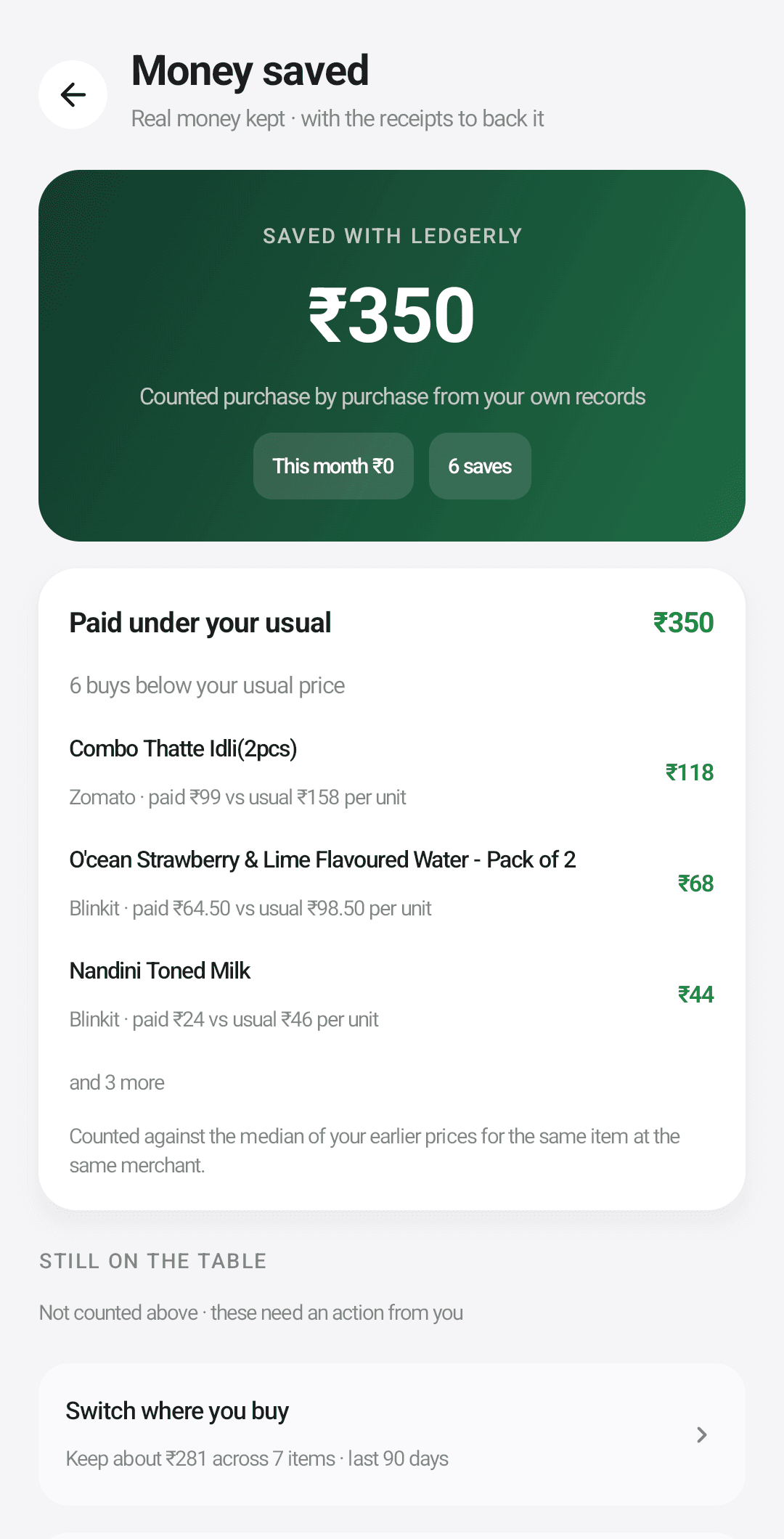
Money saved
A running tally of rupees Ledgerly actually put back in your pocket: cheaper prices you switched to, fees you avoided, rewards you captured by swiping the right card. Only realized savings count. Hypotheticals are shown alongside for context but never added to the number, so the total is one you can defend.
Week’s basket
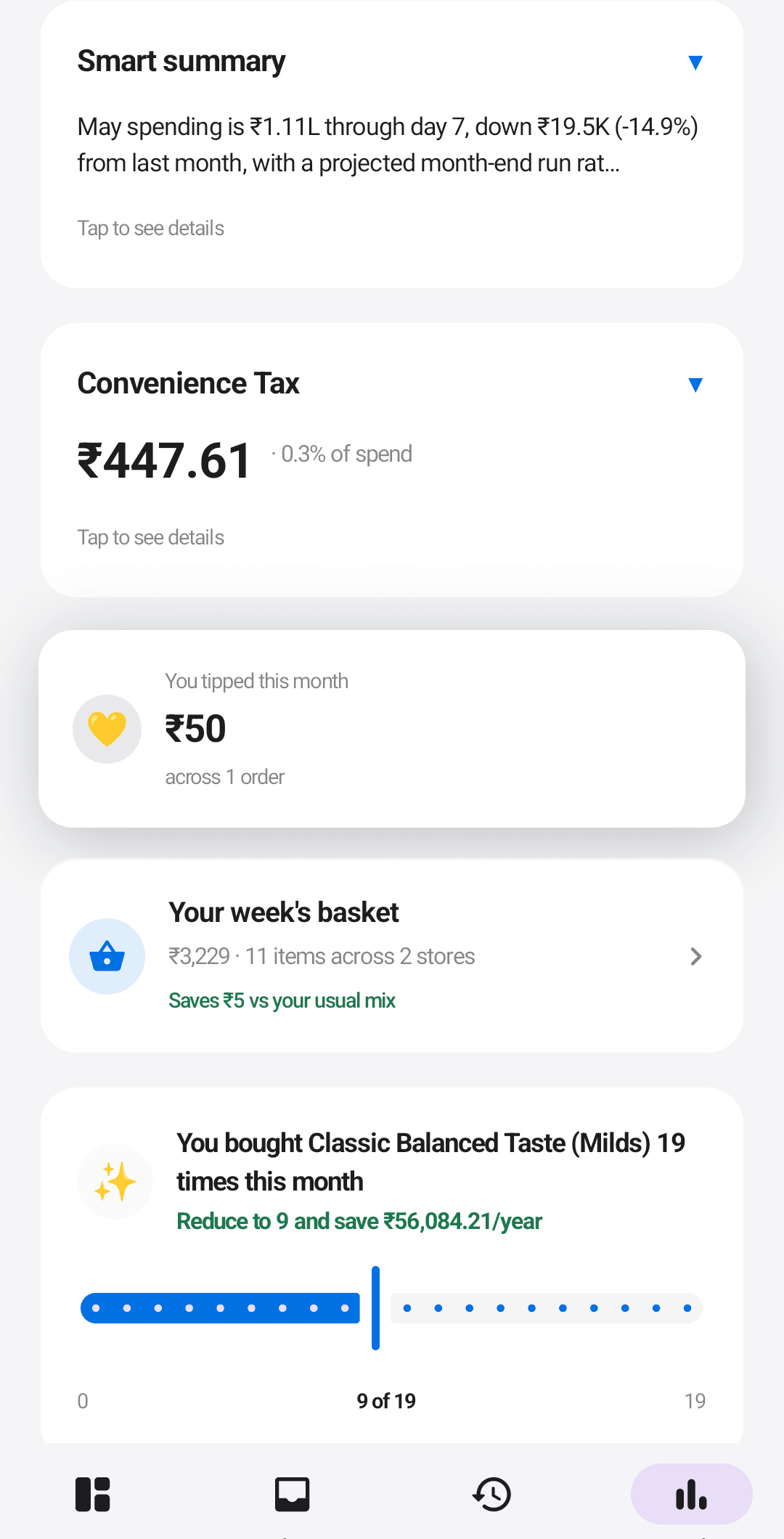
Predicts a typical weekly shopping basket from your history, and routes each item to the cheapest store you have used. Tap to expand.
Convenience tax and tips
A monthly headline of what convenience actually cost: "You paid ₹X this month on delivery, packaging, and platform fees." If you tipped, a separate card sums it.
Home-screen widget
Month-to-date spend against budget, sitting on your launcher. No need to open the app to see where you are.
Optional AI, off until you agree to it.
Ledgerly’s AI features are optional and off by default. In the Google Play beta they run on cloud AI through Ledgerly’s own service, and invited testers get it with a tester pass that has daily limits. There is no OpenAI key to add and nothing to buy inside the app. Nothing is sent until you read and accept the cloud AI disclosure in Settings > AI.
The six AI features: the AI insight narrator, the Card Concierge chat, the wallet roast, the loan-reminder drafter, the goal price estimator, and AI-assisted import of receipts and statements.
Card Concierge
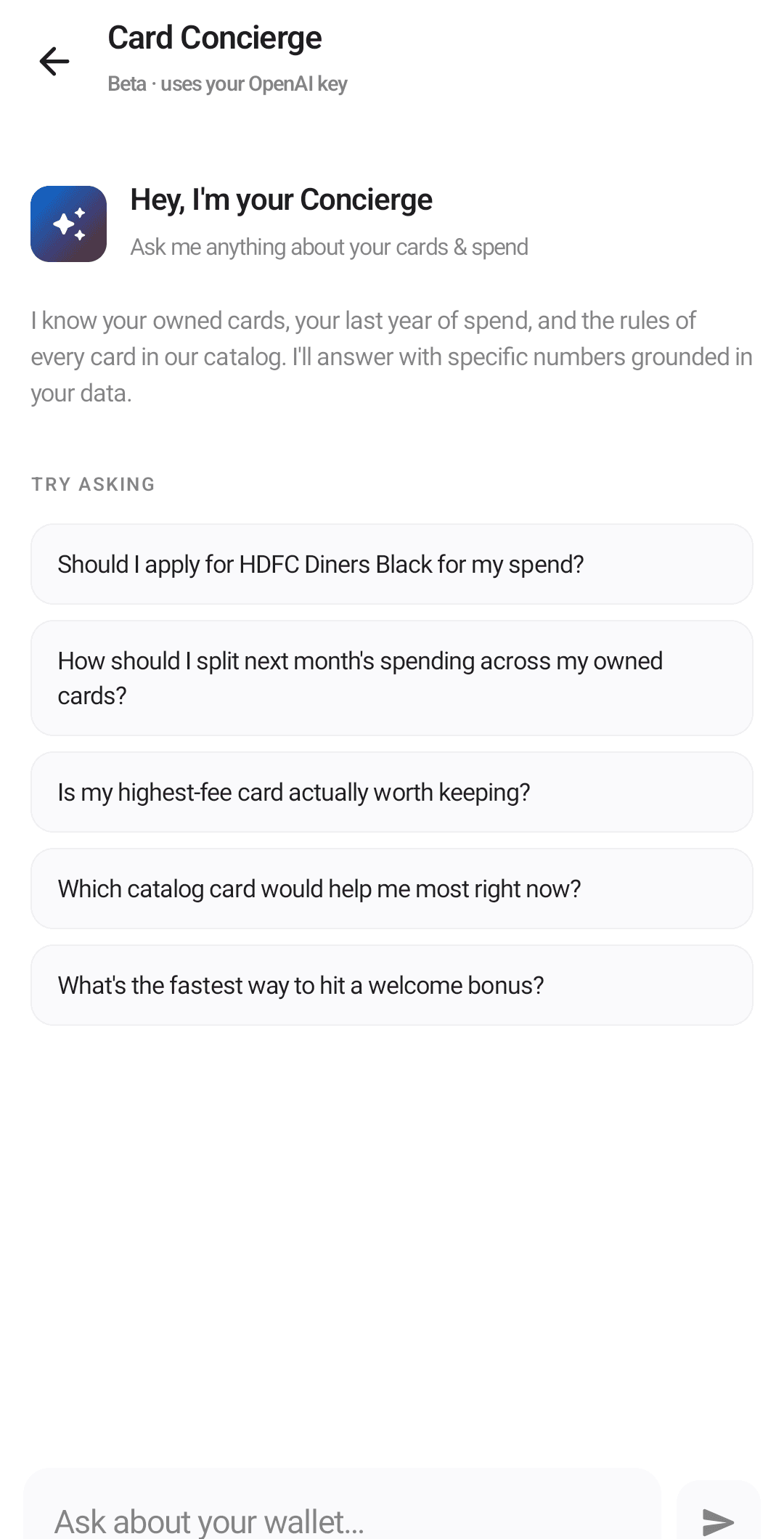
A chat that answers questions about your wallet, grounded in your real spending and card data. "Which card should I get next?" "Why is my Axis card under-earning?" The answers are specific to your wallet, not generic finance advice.
Wallet Wrapped
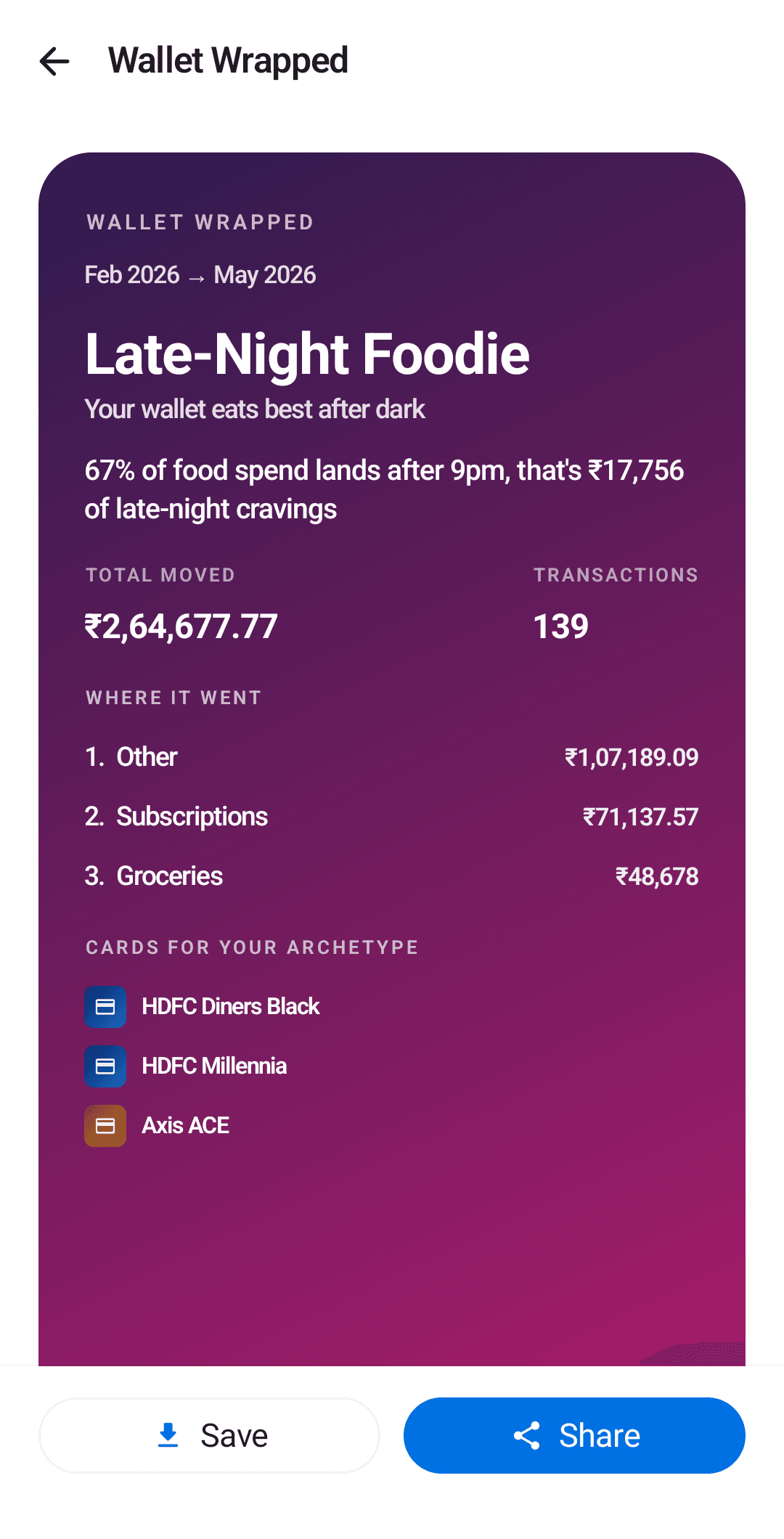
A shareable year-in-review card. Names your spending personality (one of six archetypes) and the cards that suit it. Saves as a PNG you can share. Seasonal feature, and the odd one out here: it is computed entirely on-device, needs no cloud AI, and is free for everyone.
Wallet Roast
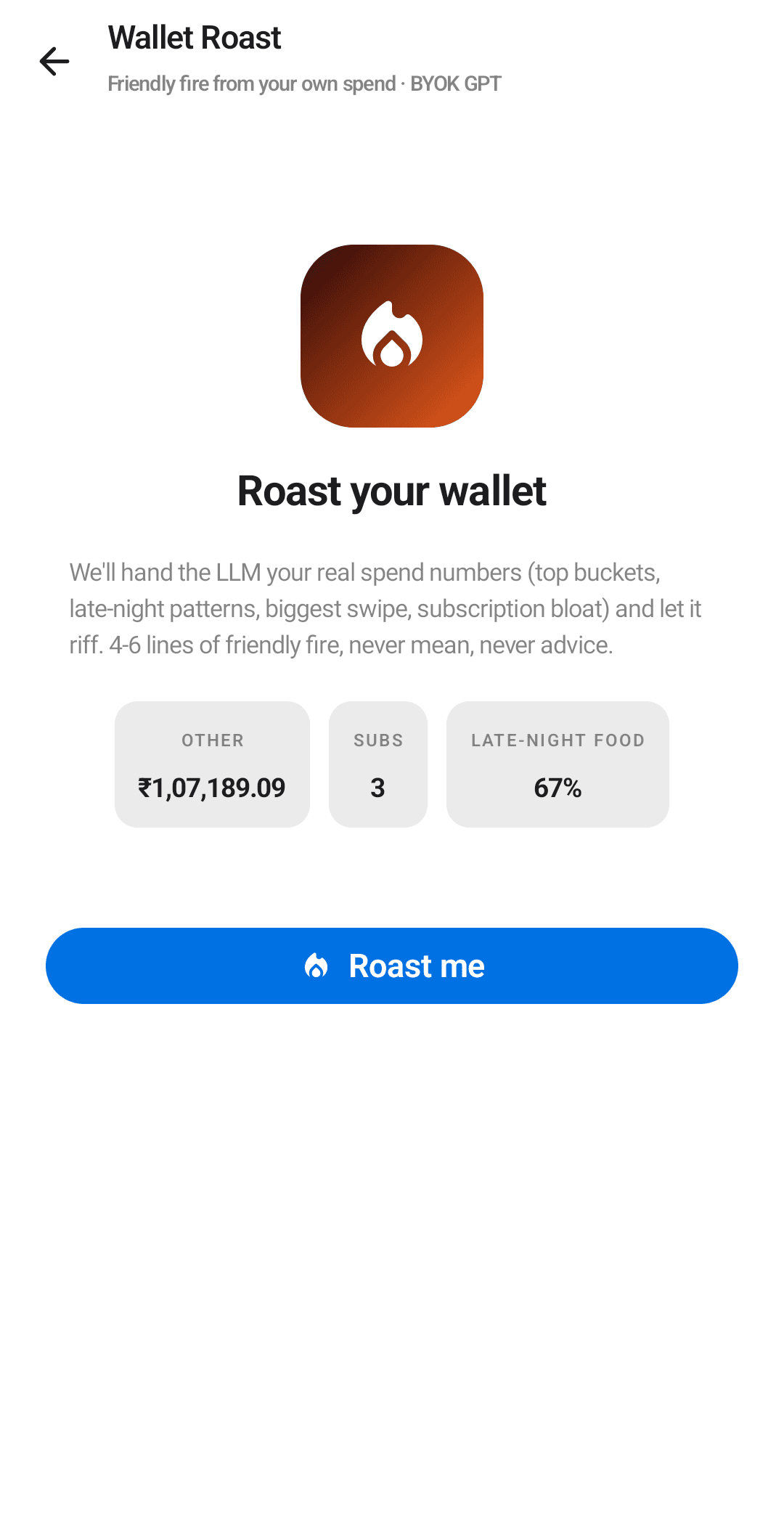
A light-hearted roast of your habits, capped at 720 characters, paired with the Wrapped share pipeline. Strictly for fun.
AI insight narrator
A short, plain-language story of your month. Reads like a newsletter from a friend who pays attention.
Loan-reminder drafter
Drafts a polite, ready-to-send nudge for money a friend owes you, written from that loan’s actual amount and dates. You pick a tone, edit the text, and send it yourself.
Goal price estimator
Suggests a target amount when you create a savings goal, priced by a quick AI lookup on the same cloud AI as the rest.
Backups you own.
Everything Ledgerly knows lives in one file you can hold.
Settings, Data gives you a full backup as a single zip, a restore that replaces the current data with any backup you pick, and an Undo last restore safety net that brings back the data from just before, in case you picked the wrong file. There is also a CSV export for spreadsheets. Moving phones is: back up, install, restore.
Ready to set it up?
Walk through the first-run setup, from SMS permission to optional AI.
Getting started