Order. Tap. Logged.
The fastest way to get Ledgerly is to feel it. Place a pretend order in a virtual delivery app, wait out the ride, then tap the floating L, exactly like the real thing on your phone.
- Shop
- Track
- Arrived
- Capture
- Logged
Where are we ordering from?
Pick an app and build a little order. Everything here is a simulation.
Brands shown for demonstration · not affiliated
Tap an app on the phone to begin.
The same tap, on a real phone.
These are unstaged screenshots from the developer’s own phone: the capture button pressed on a real delivered Blinkit order, and that order sitting in his ledger, itemized, with the product photos it picked up along the way.
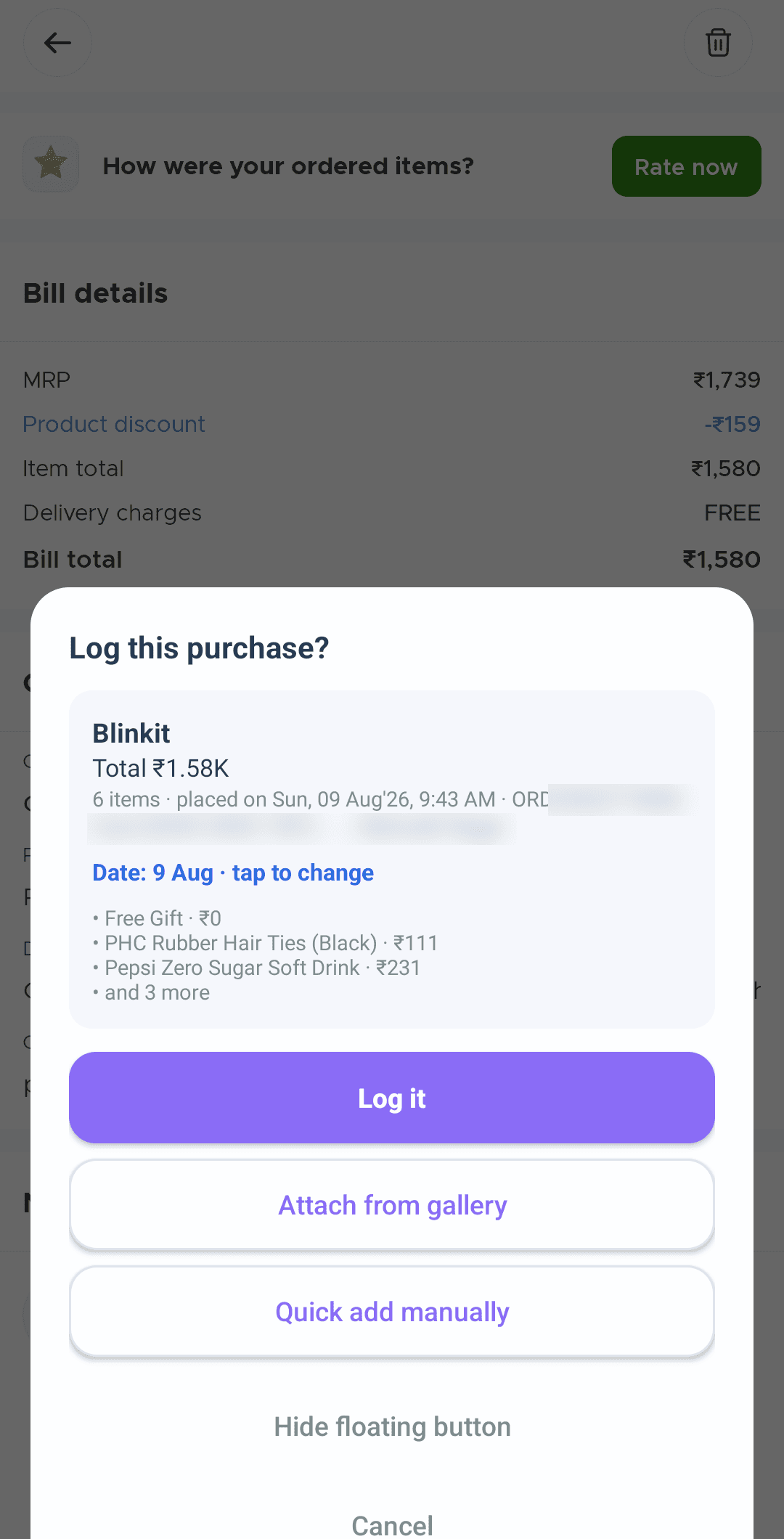
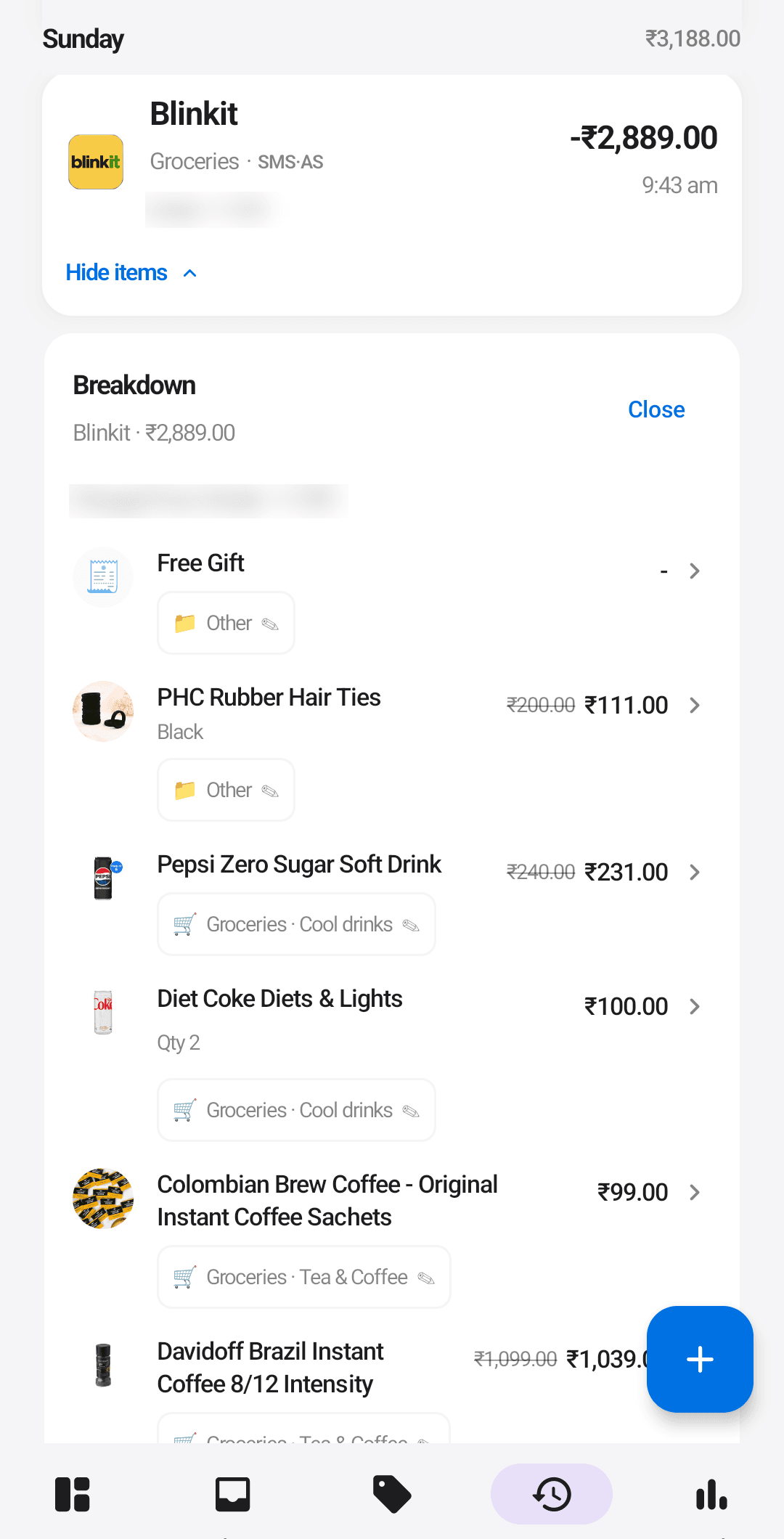
What you just did, in the real world.
Blinkit, Zomato, Swiggy, Instamart. You order the way you already do; nothing about the habit changes.
On the order page, tap Ledgerly's floating button. It reads the screen right on your phone, on-device.
The total and every single item land in your history, itemized and categorized. No typing.
This is a simulation. Blinkit, Zomato, Swiggy and Instamart are trademarks of their owners; Ledgerly is not affiliated with them. In the real app, capture happens on your phone, on-device.